On-SamePage / Document management

Document management and workflow

Every document through your approval workflow

Every project document in one place, at its current version and status. Each type of document follows its own approval workflow, from review to sign-off, including your client’s, and access is managed, so people see the documents they should and no others.

A document type with its approval workflow: submit for review, technical review, then Head of Delivery sign-off, with the status each step moves the document to
Shown: one implementation of On-SamePage, for IT departments and software companies

Documents are hard to keep under control

  • Documents go out before the right people have reviewed and approved them.
  • People work from an old version without knowing it.
  • Nobody is sure who has signed a document off, or who still has to.
  • Documents live in a maze of shared folders and email attachments, shared more widely than they should be.
Document workflow

Each type of document follows its own workflow

A workflow sets the steps a document goes through, who reviews or signs it off at each step, and the status it moves to when it is accepted or rejected. A design can go to the lead engineer for review, then to the Head of Delivery for sign-off, before it is published. Set a workflow up once and use it on every project.

See it in a demo
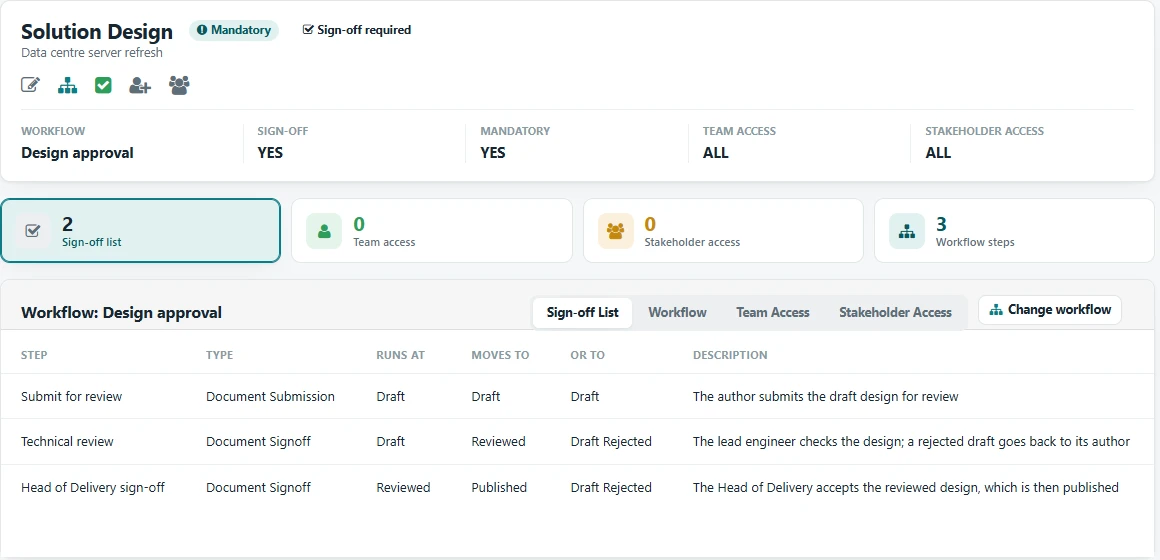
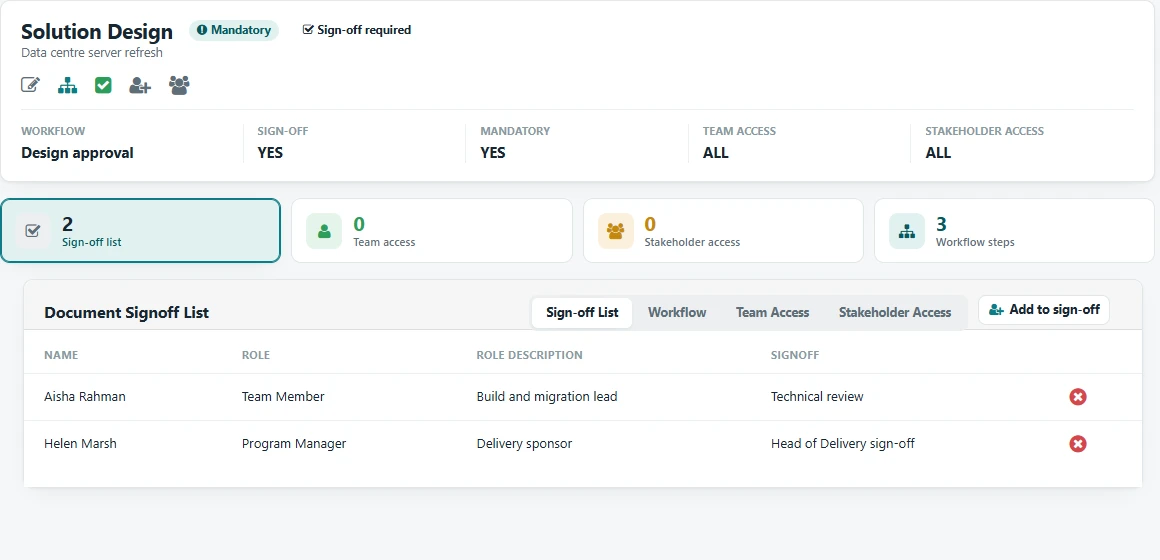
A three-step approval workflow: submit for review, technical review, then Head of Delivery sign-offThe people who sign off at each step of the workflow
Sign-off

Sign-off, including your client’s

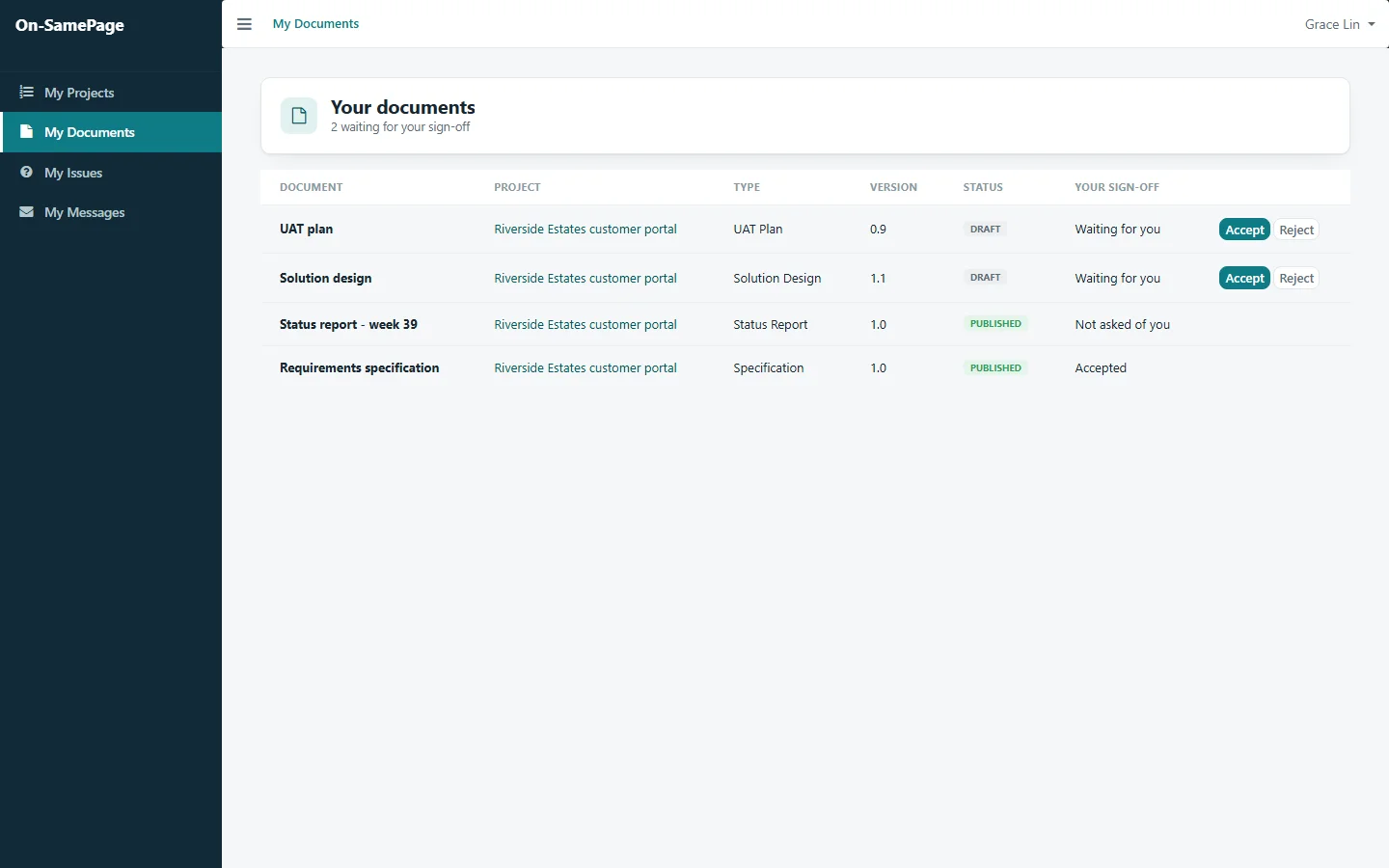
Anything waiting for someone’s approval appears at the top of their list, and clients accept or reject documents from their own view. Everyone can see who has signed a document off and who still has to.

See it in a demo
The client’s documents, with two waiting for their sign-off
Access

Who can see what, clearly managed

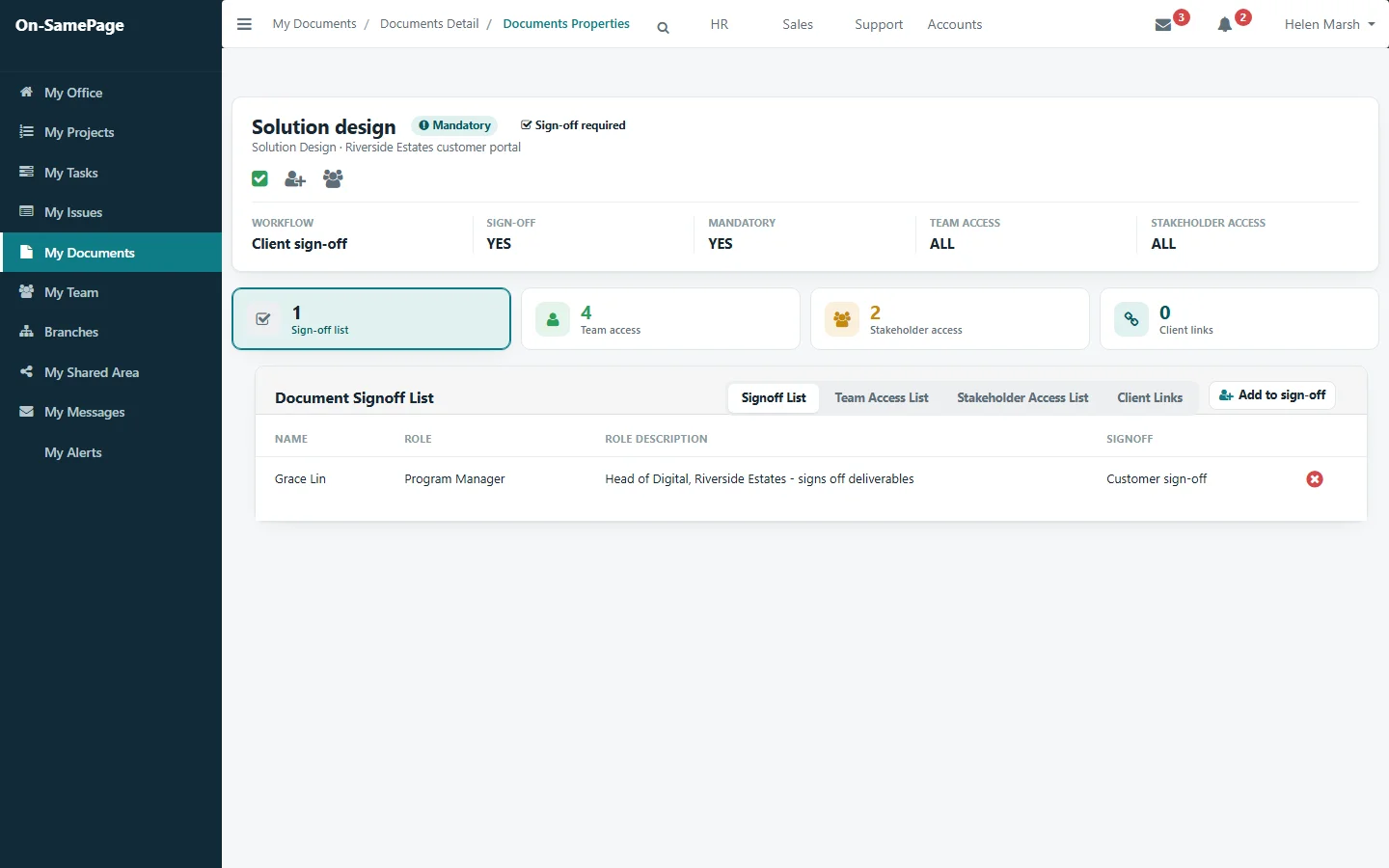
Each document shows who must sign it off and who has access: the team, stakeholders and the client. People see the documents they have been given access to, and only those.

See it in a demo
A document’s properties: its sign-off list, team access, stakeholder access and client links
Check-out and versions

One person edits at a time

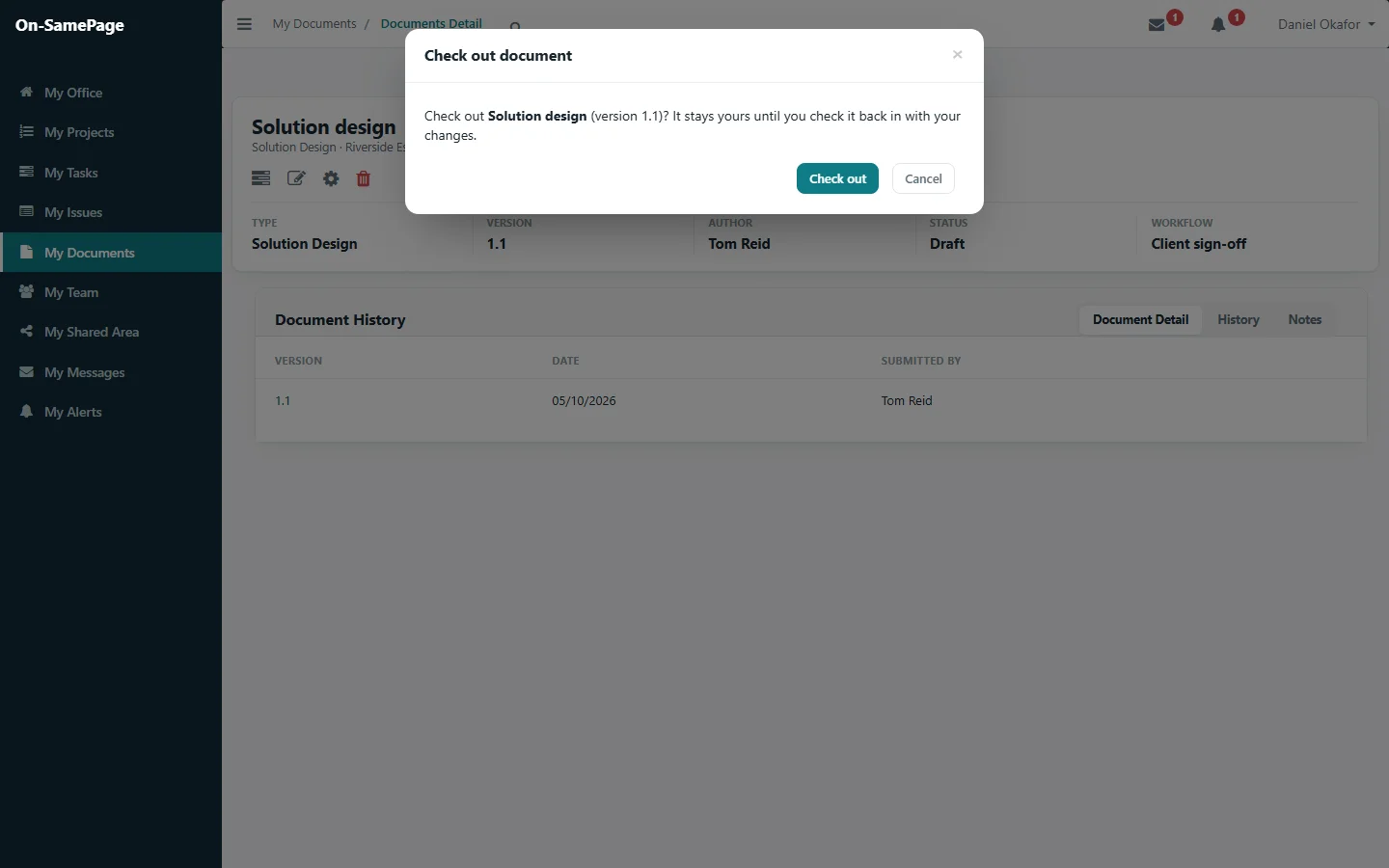
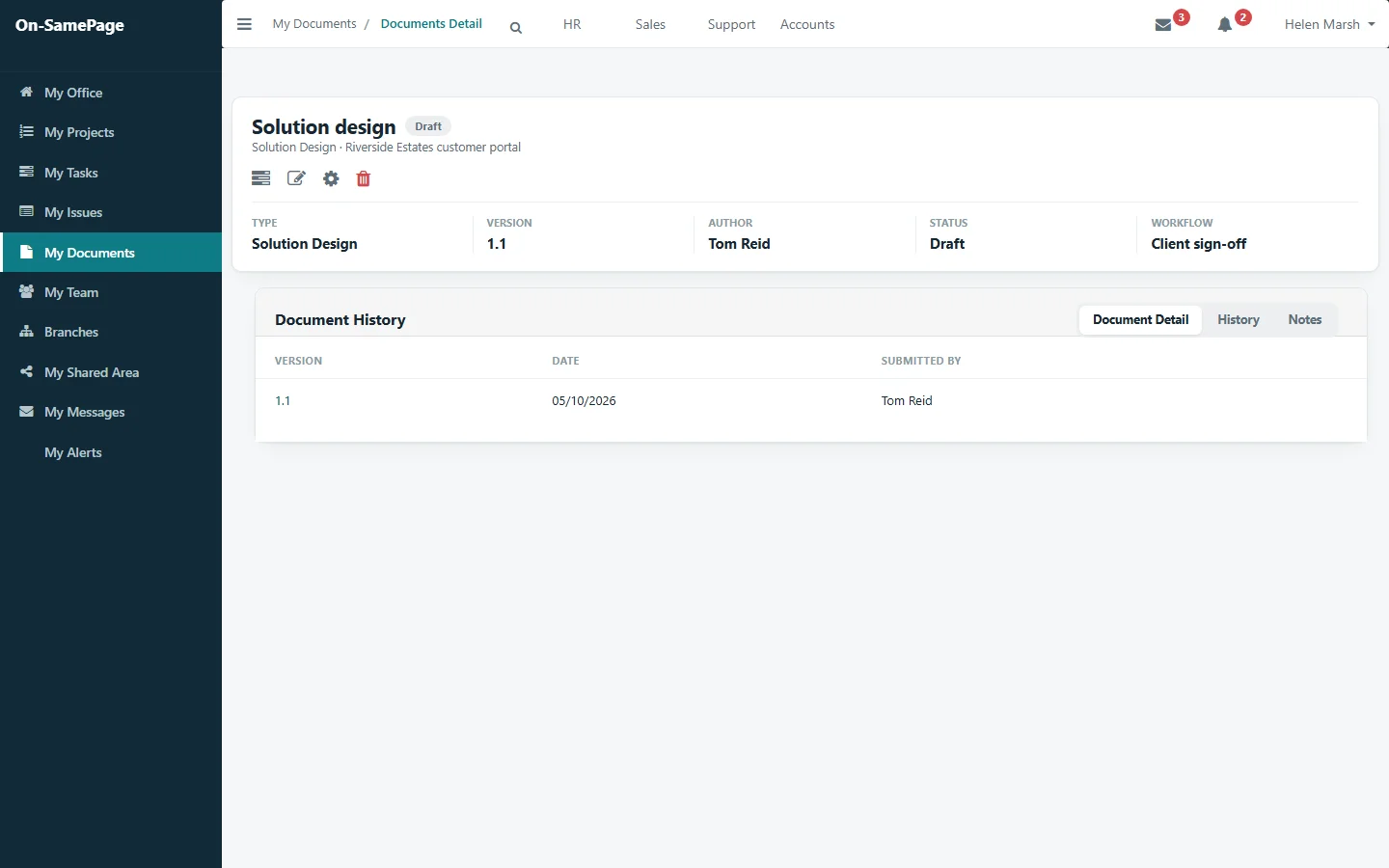
Check a document out to work on it and check it back in with your changes. Nobody else can change it while it is out, and every version is kept.

See it in a demo
Checking out a document to work on itA document with its type, version, author, status, workflow and history
Sharing

Share one document, safely

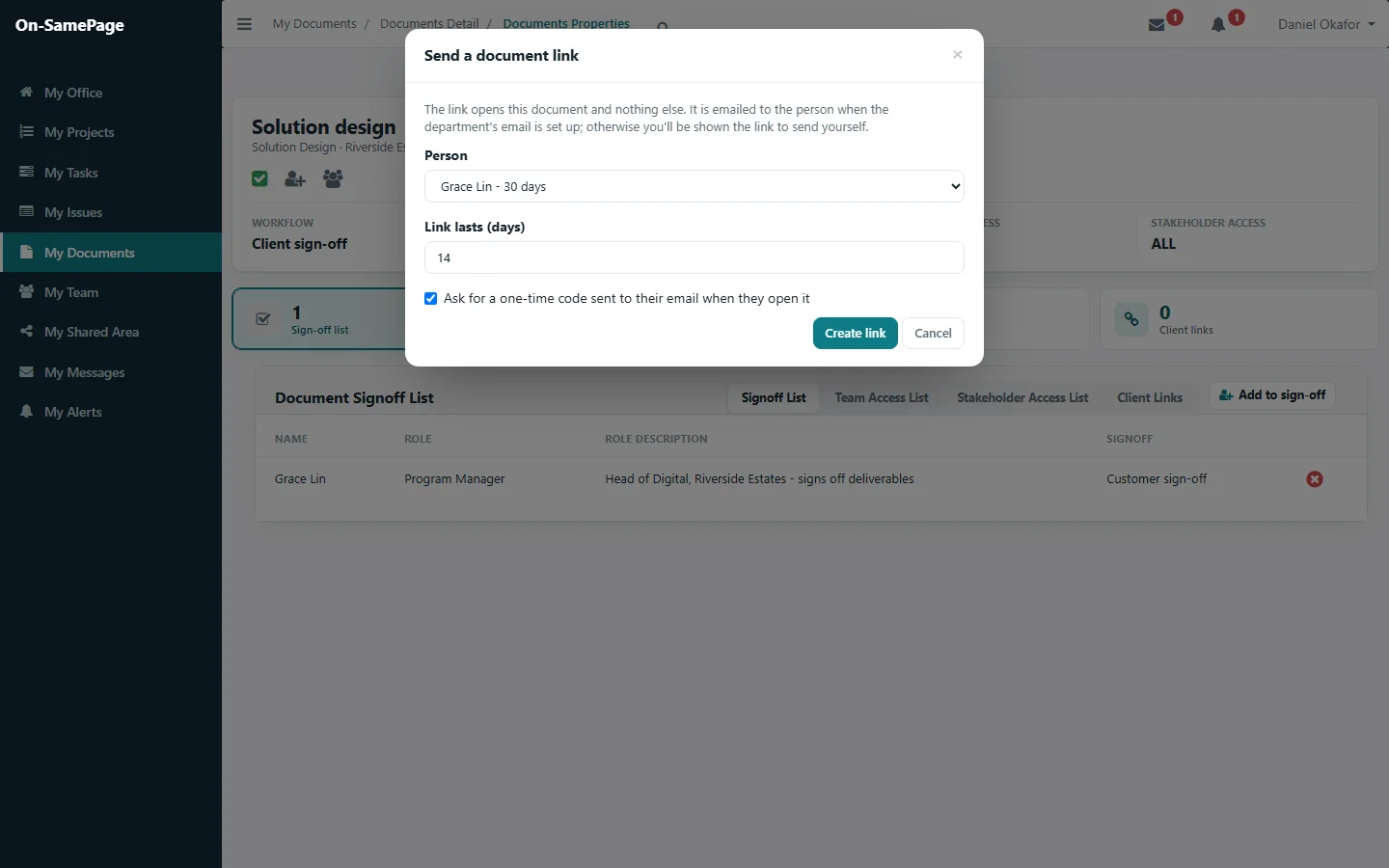
Send someone a link that opens that document and nothing else. Set how long it lasts, ask for a one-time code sent to their email when they open it, and withdraw the link at any time.

See it in a demo
Sending a document link to one person, for 14 days, with a one-time code

Common questions

Before you get in touch

Short answers here. We will go through each one with you in detail.

Can documents follow an approval workflow?

Yes. Each type of document can have its own workflow: the steps it goes through, who reviews or signs it off at each step, and the status it moves to when it is accepted or rejected. A workflow is set up once and can be used on every project.

How do people know they have the current version?

Every document shows its current version and status, and earlier versions are kept with who submitted each one and when.

Can clients sign off documents?

Yes. Clients accept or reject documents from their own view, and documents waiting for someone’s approval appear at the top of their list.

Who can see a document?

Access is managed for each document: the team, stakeholders and the client. People see the documents they have been given access to, and only those.

Can two people change a document at the same time?

No. A document is checked out to work on it and checked back in with the changes. Nobody else can change it while it is out.

Can we share a document with someone outside the project?

Yes. Send them a link that opens that document and nothing else. Set how long it lasts, ask for a one-time code sent to their email when they open it, and withdraw it at any time.

See your documents follow your workflow

Book a demo and we'll show you On-SamePage working with projects like yours.

Book a demo. A 30-minute walkthrough of On-SamePage running for an IT services company: the dashboards, the reports and the customer's view. Then we talk about what yours would look like.

We use your details only to arrange your demo and reply to your enquiry. We do not share them.