On-SamePage / Risk management

Project risk management

See what could go wrong, while you can still act

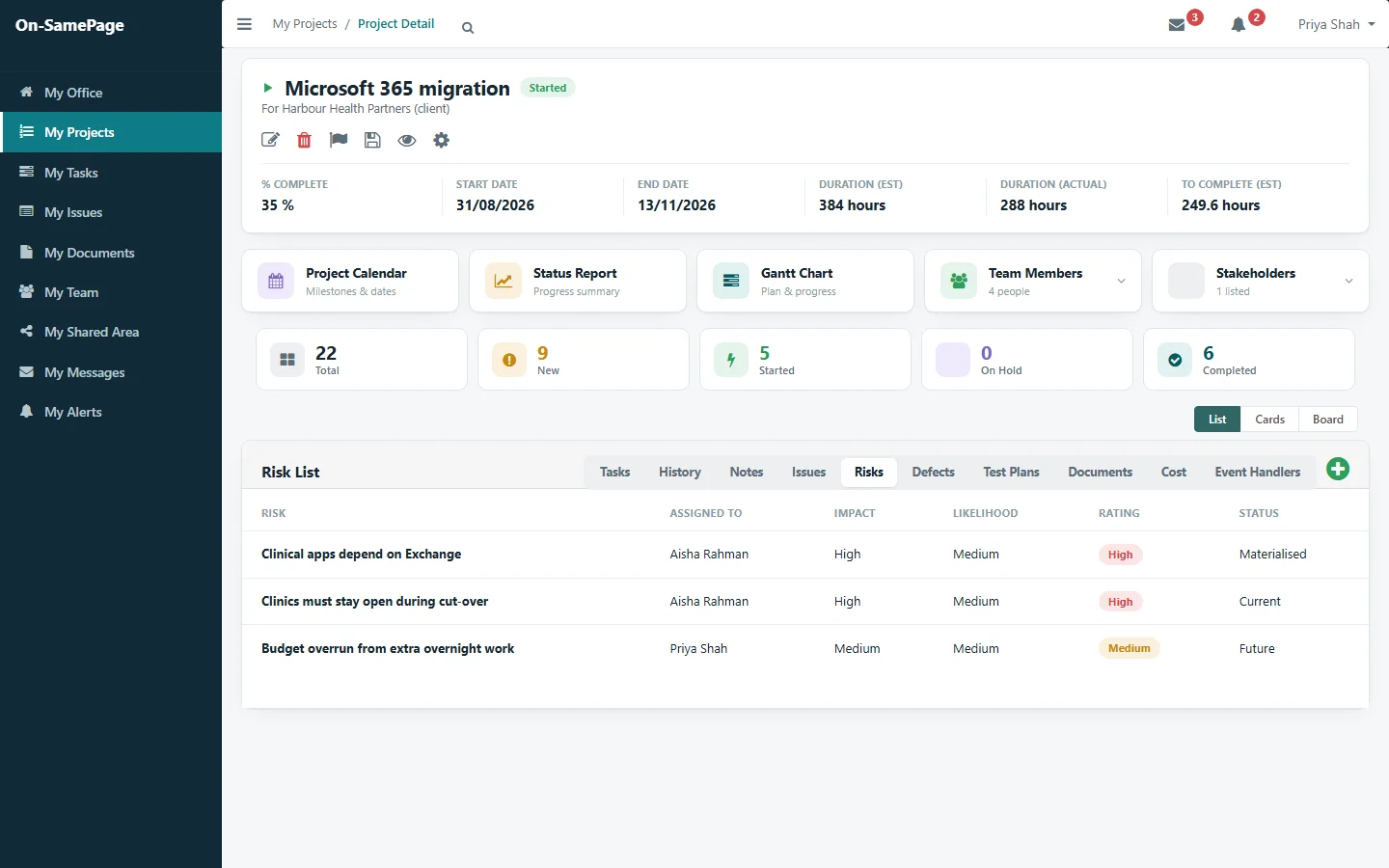
Keep a risk register on every project, with impact, likelihood and an owner for each risk. Actions to reduce a risk are planned and tracked like any other work, and risks sit beside the project’s issues, so managers see what may happen next to what already has.

A project’s risk register: each risk with its owner, impact, likelihood, rating and status
Shown: one implementation of On-SamePage, for IT departments and software companies

A risk register is only useful if someone looks at it

  • Risk registers are filled in at the start of a project and rarely looked at again.
  • Actions agreed to reduce a risk aren’t followed up.
  • Nobody can tell which risks have already turned into problems.
  • Risks sit in a spreadsheet, away from the project they belong to.
Where each risk stands

Future, current or materialised

Risks move from future, to current, to materialised or not applicable. You see at a glance which have already happened and which may still, with each one rated from its impact and likelihood.

See it in a demo
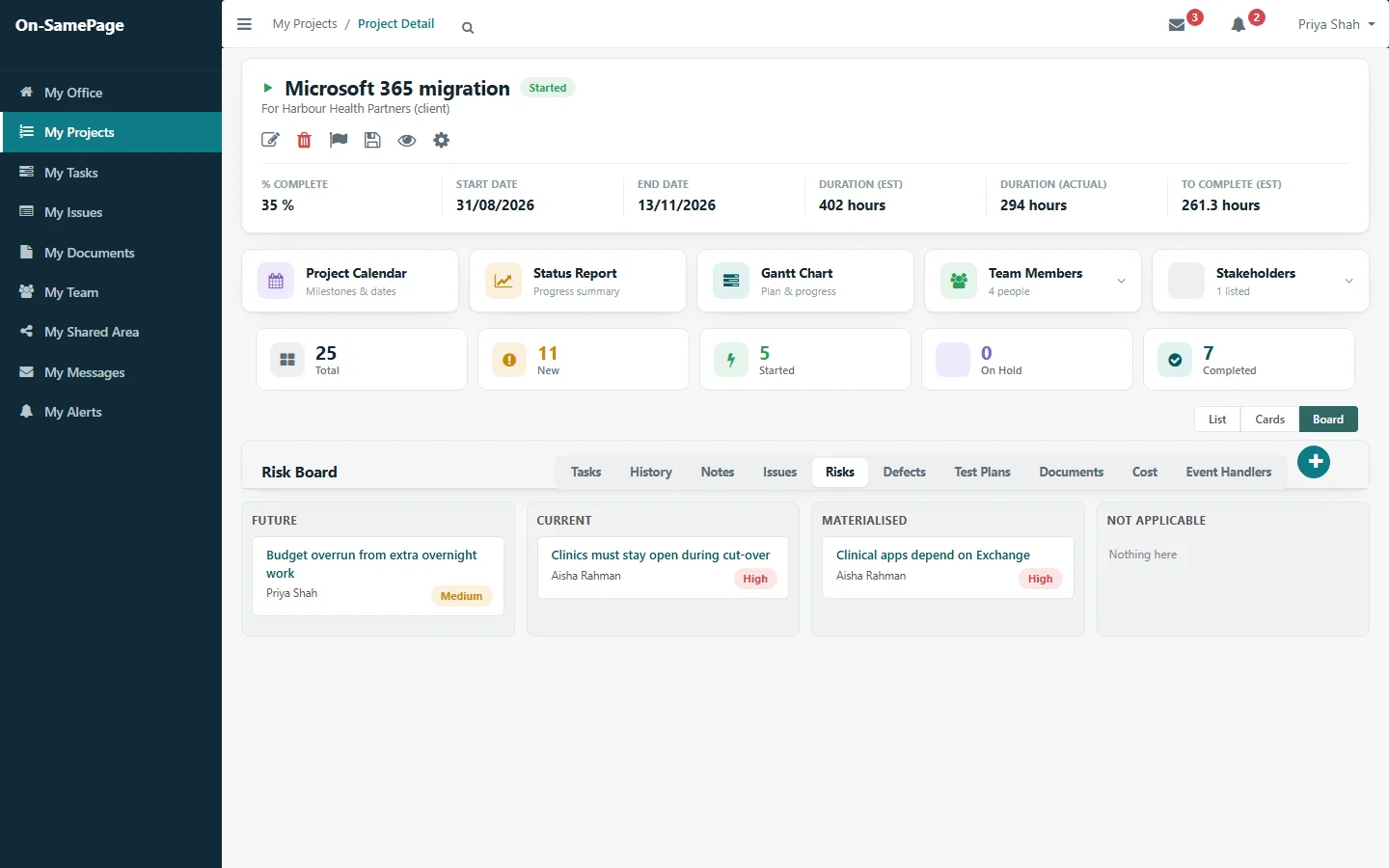
A risk board with risks under Future, Current, Materialised and Not applicable
Actions on risks

Actions that reduce the risk

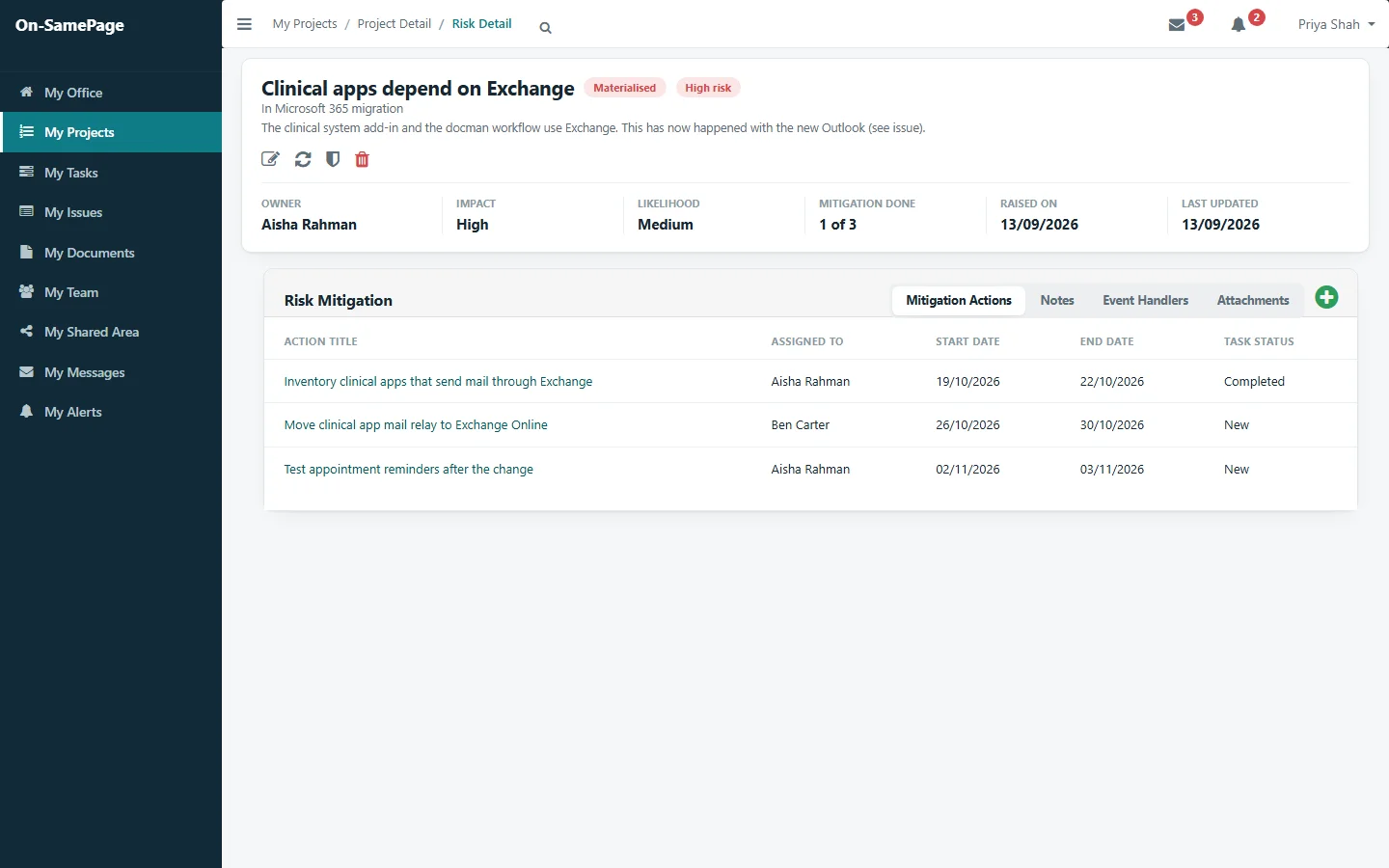
Each risk carries the actions planned to reduce it, with who is doing them, the dates and their status. The risk shows how many are done, so you know whether it is being dealt with.

See it in a demo
A risk with its owner, impact and likelihood, and the actions to reduce it, one of three done
Watch list

Keep watch on the risks that matter

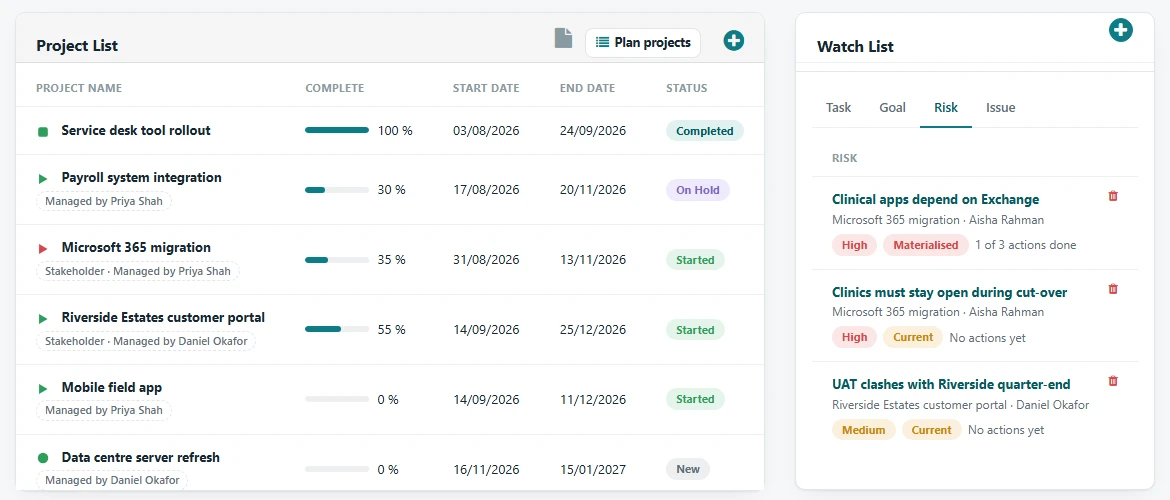
Managers add the risks they want to follow to their watch list, next to their projects. Each one shows its project, owner, rating, status and how many of its actions are done, without opening every project.

See it in a demo
A manager’s project list with a watch list of risks: each with its project, owner, rating, status and actions done
With issues

Risks and issues, side by side

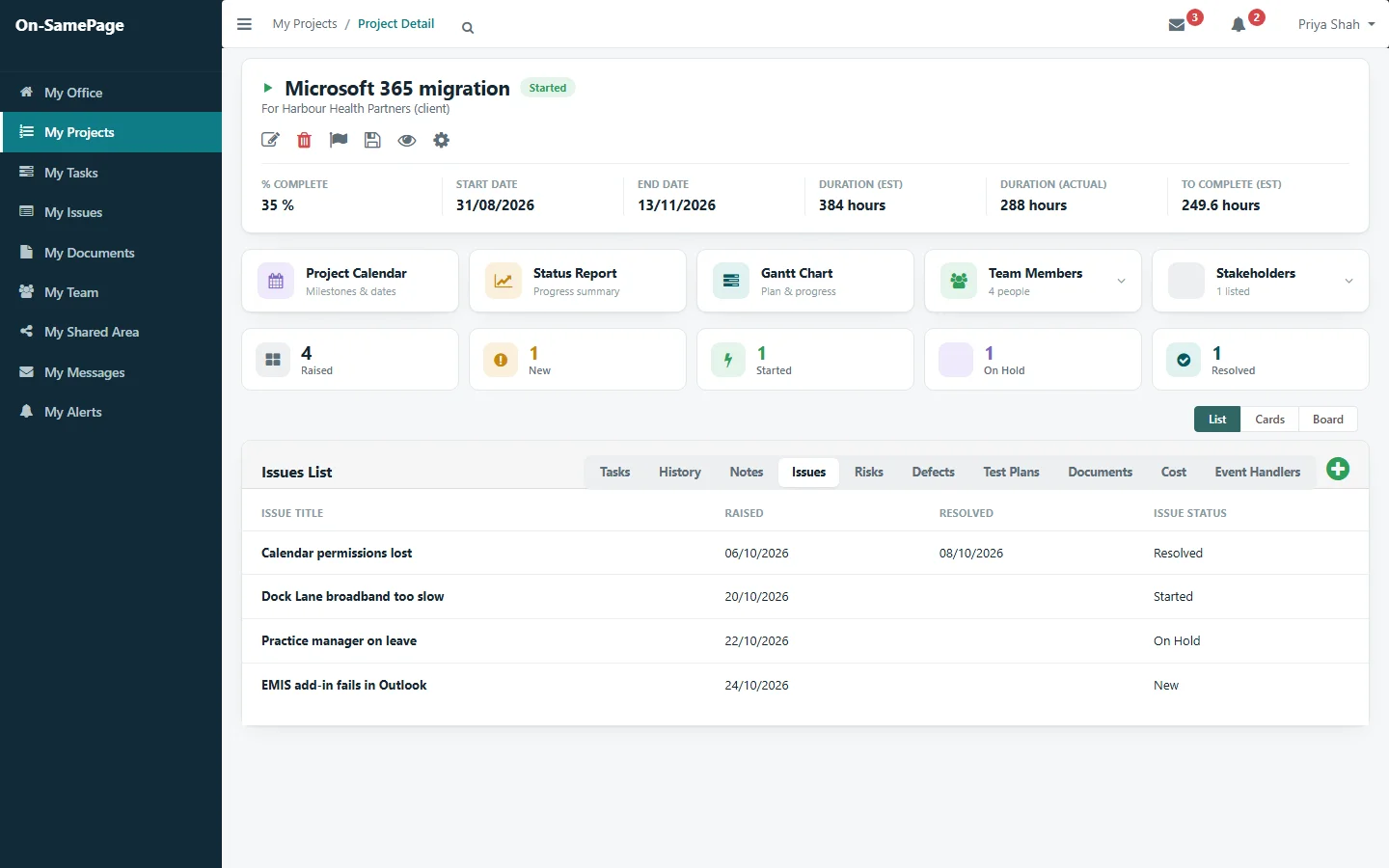
On each project, risks sit next to issues, tasks and documents, one tab apart. Managers see what may happen next to what already has, in one place.

See it in a demo
A project’s issues, with its risks, tasks and documents one tab away

Common questions

Before you get in touch

Short answers here. We will go through each one with you in detail.

Can we keep a risk register for each project?

Yes. Every project has its own risk register. Each risk has an owner, an impact and a likelihood, a rating of High, Medium or Low worked out from the two, and a status.

How are risks followed up?

Each risk carries the actions planned to reduce it, tracked like any other work, and shows how many are done. Managers can add the risks they want to follow to their watch list.

Can we see which risks have already happened?

Yes. Risks move from future, to current, to materialised or not applicable, and the risk board shows where each one stands.

Where do risks sit in relation to issues?

On each project, risks sit next to issues, tasks and documents, so managers see what may happen next to what already has.

See your risks before they become problems

Book a demo and we'll show you On-SamePage working with projects like yours.

Book a demo. A 30-minute walkthrough of On-SamePage running for an IT services company: the dashboards, the reports and the customer's view. Then we talk about what yours would look like.

We use your details only to arrange your demo and reply to your enquiry. We do not share them.