On-SamePage / Issue tracking

Issue tracking

Issues raised, owned and resolved

Your team and your clients raise issues in On-SamePage. Each one has an owner, and the work to resolve it is planned and tracked like any other task, so nothing raised gets lost.

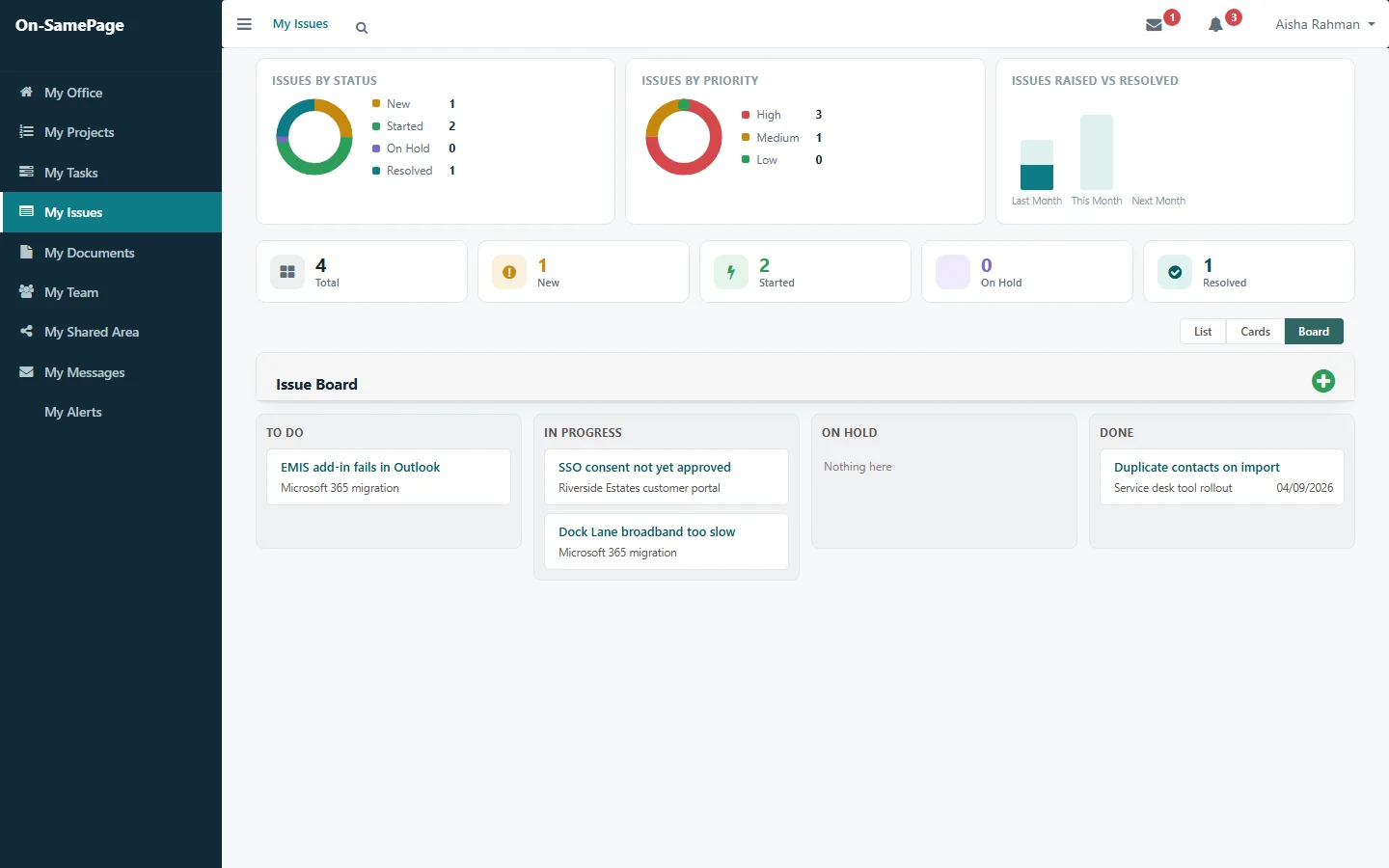
Issues by status and priority, raised against resolved, and an issue board
Shown: one implementation of On-SamePage, for IT departments and software companies

Issues get lost between emails, calls and meetings

  • Issues are raised in emails, calls and meetings, and some are never written down.
  • Nobody is sure who owns an issue or what is being done about it.
  • Clients chase for answers to questions they have already asked.
  • The work to fix an issue isn’t in anyone’s plan, so it competes with everything else.
Owned and resolved

From raised to resolved

Each issue has an owner, a priority and the tasks to resolve it, with who is doing them, the dates and the progress. The work appears in their task list and workload like any other task.

See it in a demo
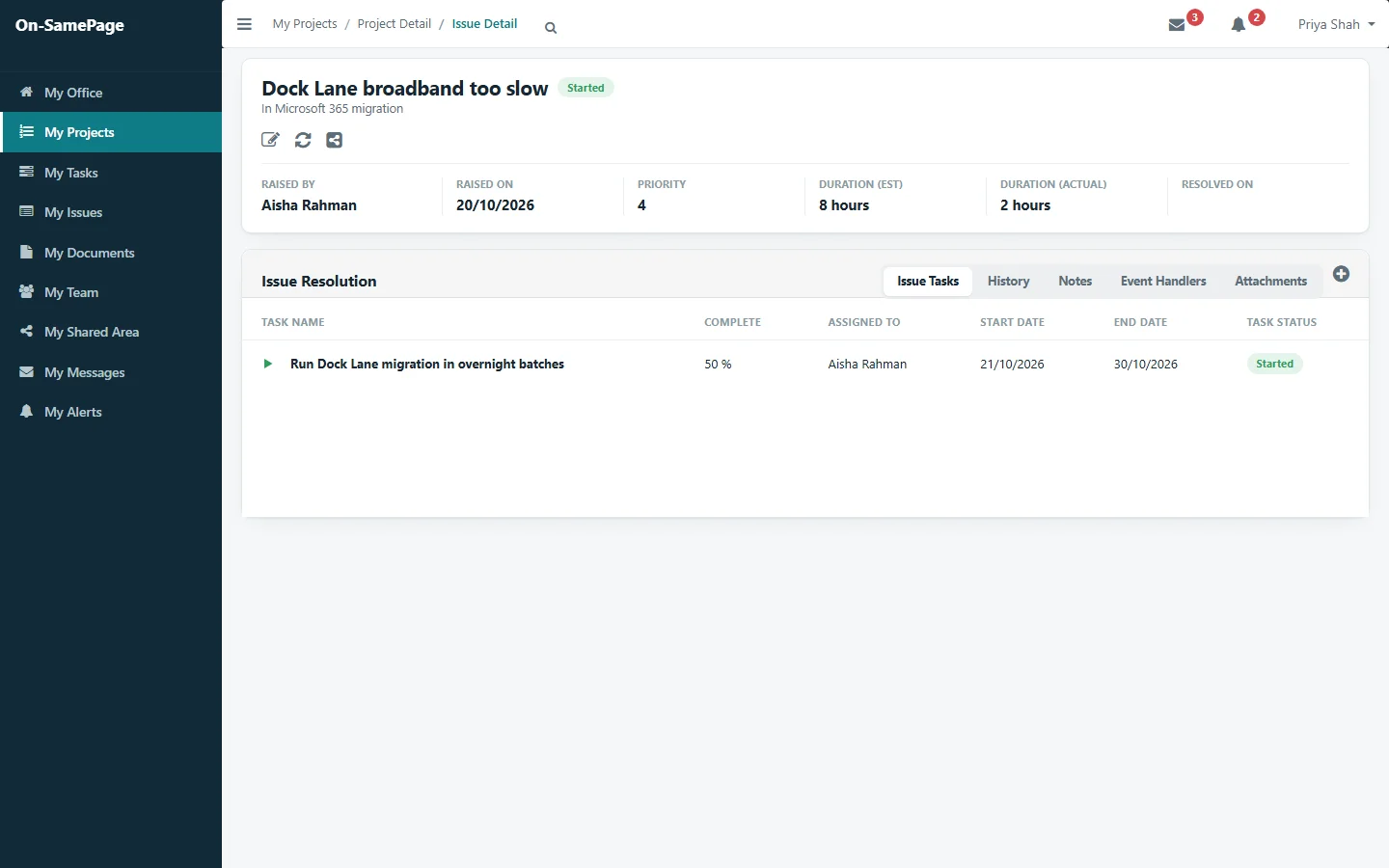
An issue with its owner, priority and the task to resolve it
On the project

Issues on the project they belong to

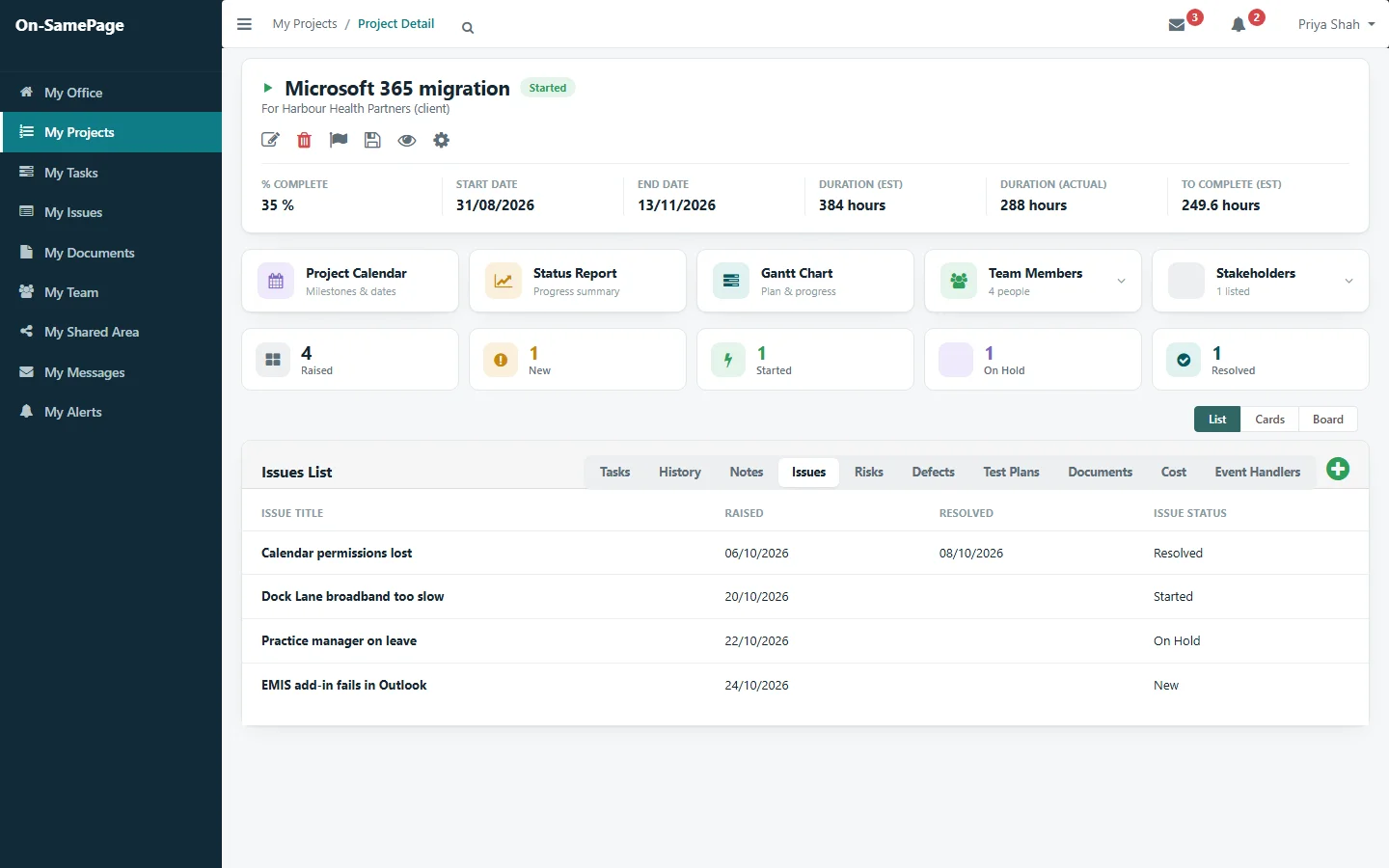
Each project lists its issues with when they were raised, when they were resolved and where they stand, next to its tasks, risks and documents.

See it in a demo
A project’s issues with the dates raised and resolved, and their status
From your clients

Clients raise issues too

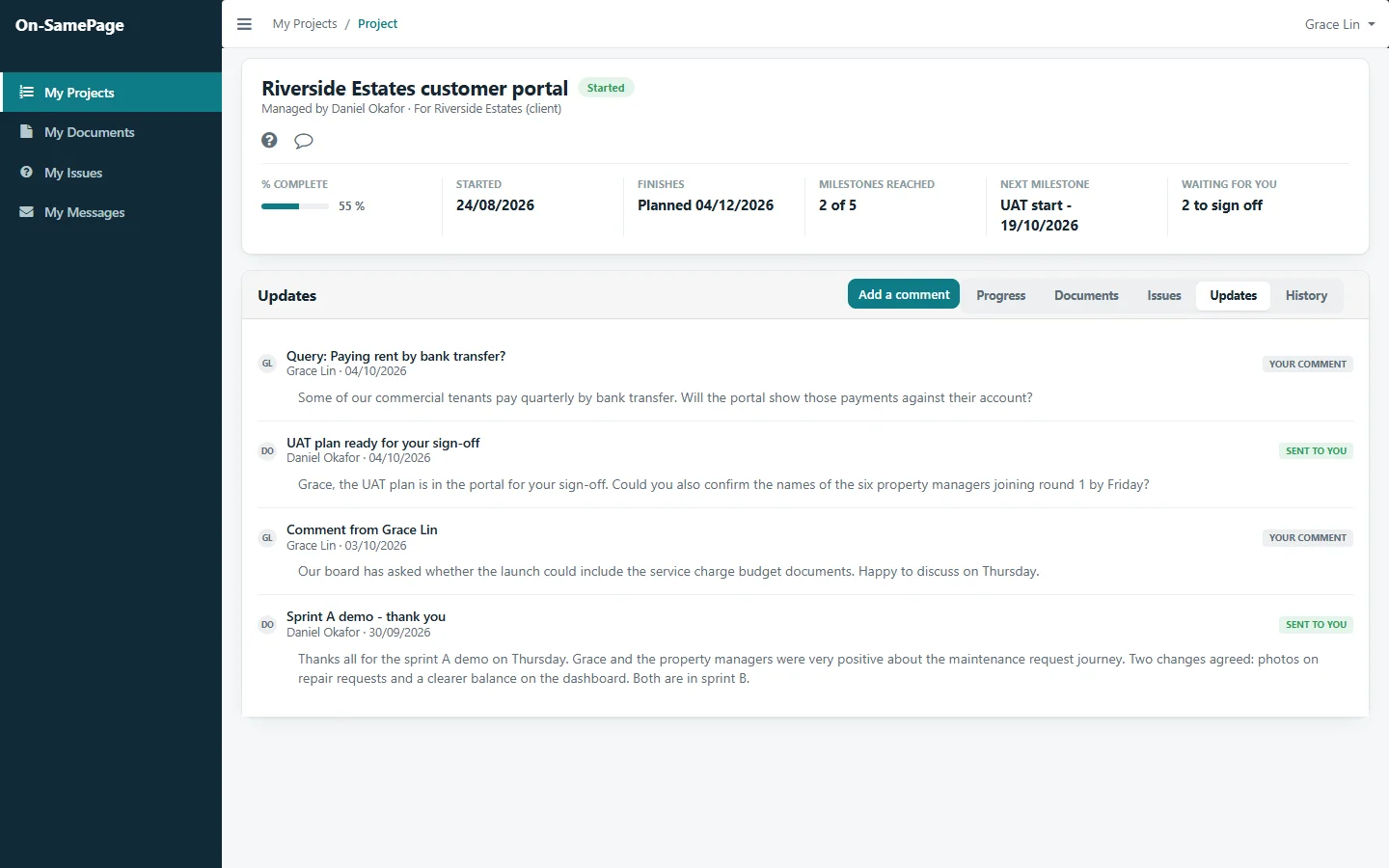
Clients raise issues and questions from their own view of the project. They reach the project team straight away, and the client sees the answer and the progress in the same place.

See it in a demo
The client’s view of their project, with a question they raised and the team’s updates
On a timeline

The work to resolve issues, planned

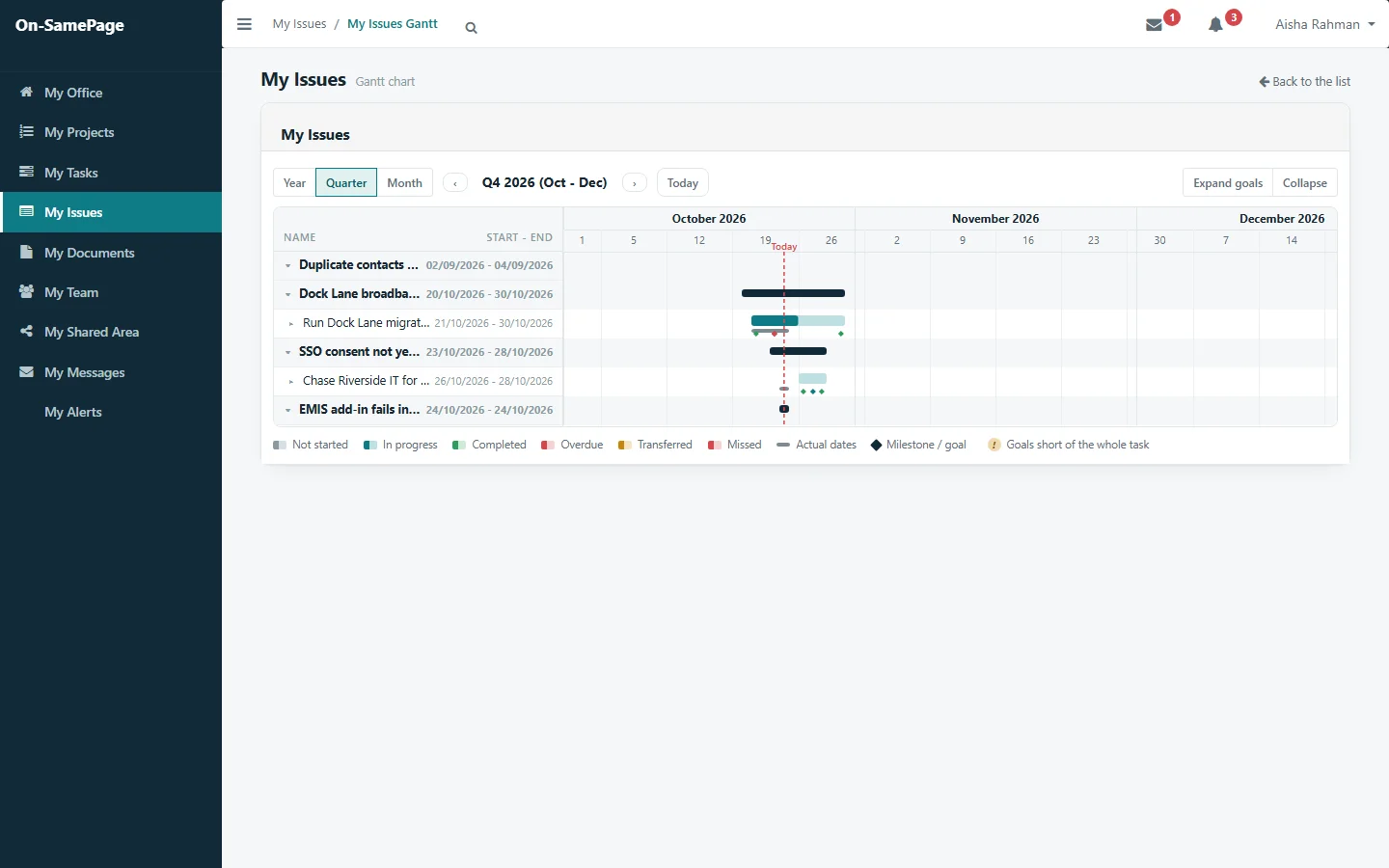
Issues being worked on have their own Gantt chart, so the work to resolve them is planned and visible like everything else.

See it in a demo
The issues one person is resolving, on a Gantt chart

At a glance

Every issue accounted for

By status and priority

See how many issues are new, started, on hold and resolved, and how urgent they are.

Raised against resolved

See whether issues are being dealt with as fast as they come in.

Board, cards or list

Work with issues in the view that suits you.

History kept

What happened on each issue, and when, stays with it.

Notes on the issue

Questions and answers are kept with the issue, not in someone’s inbox.

In the reports

Issues appear in the project status report without anyone adding them.

Common questions

Before you get in touch

Short answers here. We will go through each one with you in detail.

Who can raise an issue?

Anyone working on the project, and clients from their own view of the project. Issues raised by clients reach the project team straight away.

How do we know an issue is being dealt with?

Each issue has an owner, a priority and the tasks to resolve it, with who is doing them, the dates and the progress. Its status shows where it stands.

Do issues appear in project reports?

Yes. Issues appear in the project status report without anyone adding them.

Can issues be shown on a board?

Yes. Issues can be shown as a board, as cards or as a list, and the work to resolve them has its own Gantt chart.

See every issue through to resolution

Book a demo and we'll show you On-SamePage working with projects like yours.

Book a demo. A 30-minute walkthrough of On-SamePage running for an IT services company: the dashboards, the reports and the customer's view. Then we talk about what yours would look like.

We use your details only to arrange your demo and reply to your enquiry. We do not share them.