On-SamePage / IT project management

IT project management

Every project current, without chasing anyone

On-SamePage keeps your plans, progress, costs and workload up to date as the work is done, and measures progress by work done, not time passed. Project managers, senior management and clients all see the same, current picture.

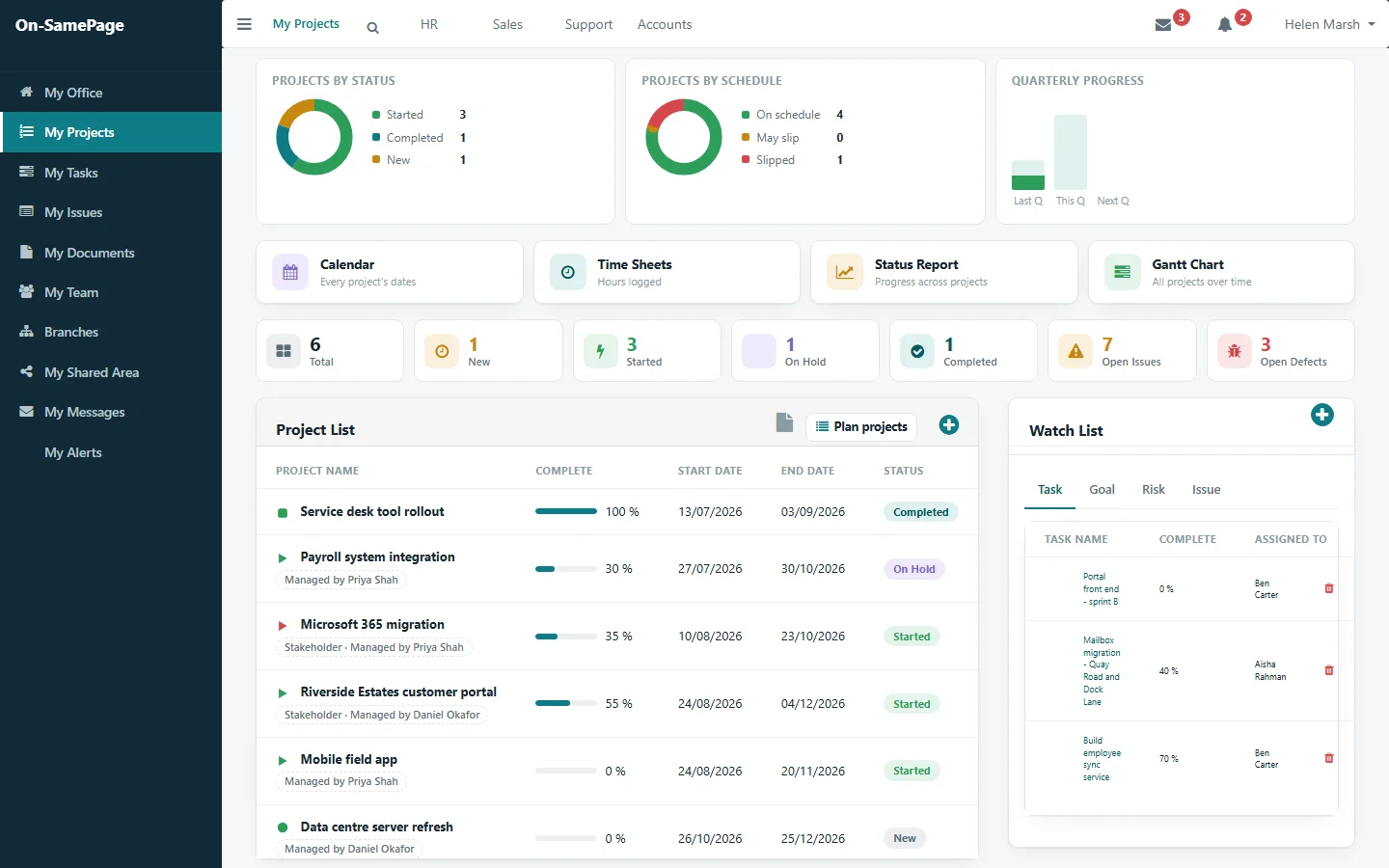
Every project by status and schedule, with open issues and defects
Shown: one implementation of On-SamePage, for IT departments and software companies

Managing projects shouldn't take more time than the projects

  • There is never enough time to do everything, and too much of it goes on chasing and reporting.
  • The plan goes out of date as soon as work starts, because the tasks added along the way never reach it.
  • Status meetings and reports take the time that should be spent on the project.
  • Problems surface when it is too late to do much about them.
  • Clients keep asking how things are going.
Progress you can rely on

Progress measured by work done, not time passed

A project that is halfway through its schedule isn't half done until the work that makes it half done has been delivered. On-SamePage measures progress by the tasks, goals and milestones actually completed, so a project that has used half its time but delivered a third of its work shows as behind, while there is still time to act.

A project shown behind: milestones reached late, overdue work and missed goals picked out
Reporting progress

Report progress in a minute. Everything else keeps itself up to date

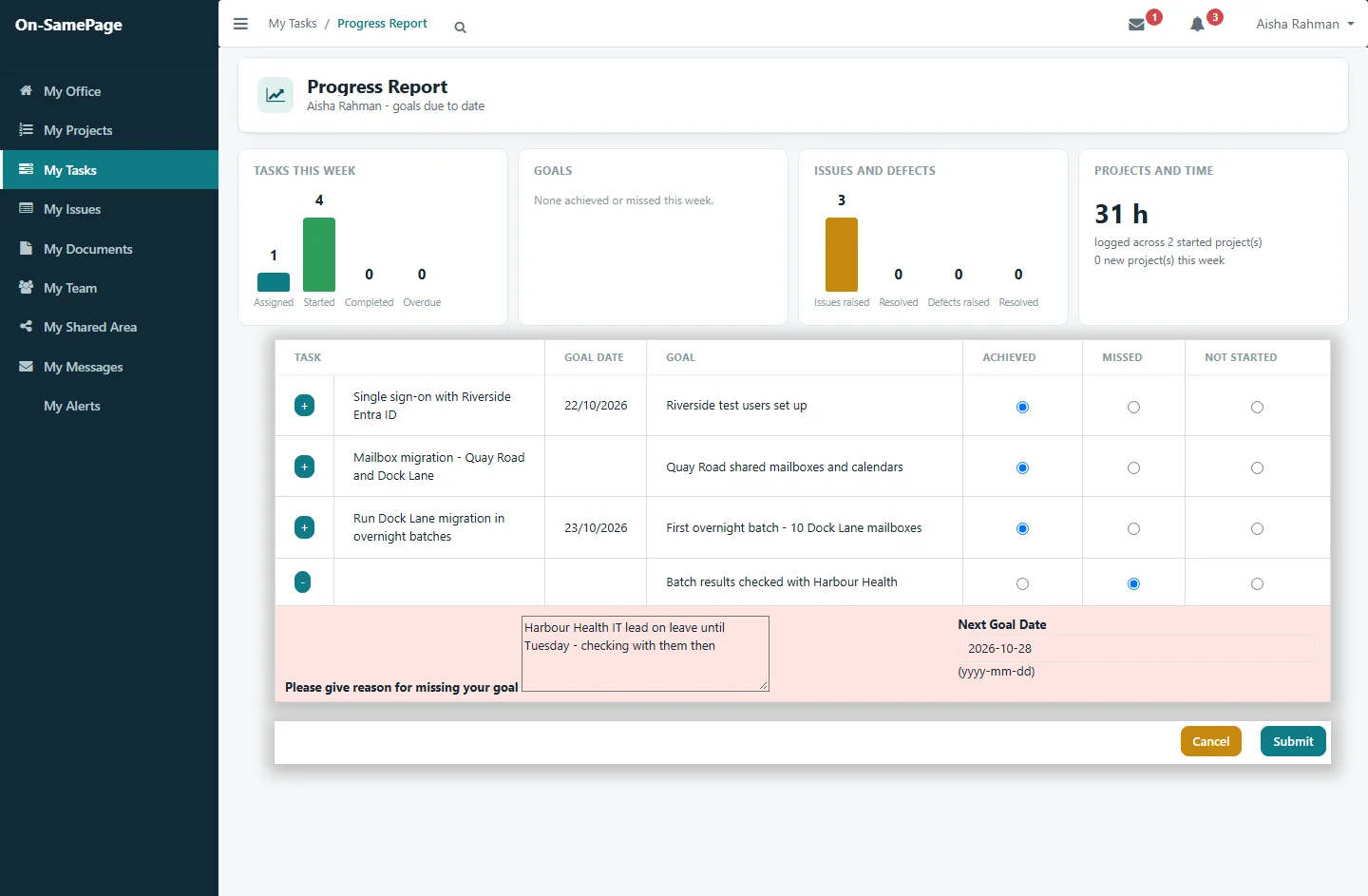
Team members report progress by marking each goal that's due as achieved, missed or not started. From that one entry, task, milestone and project progress, schedule status, costs and reports all update. Nobody re-keys anything, nobody compiles a status report, and everyone sees the change straight away.

See it in a demo
A team member's progress report: three goals marked achieved, one missed with the reason and a new date
For senior management and the PMO

Every project, at a glance

See every project by status and schedule, what is on track and what needs attention. Status and progress reports are produced the moment you open them, so nobody works from last week's report.

See it in a demo
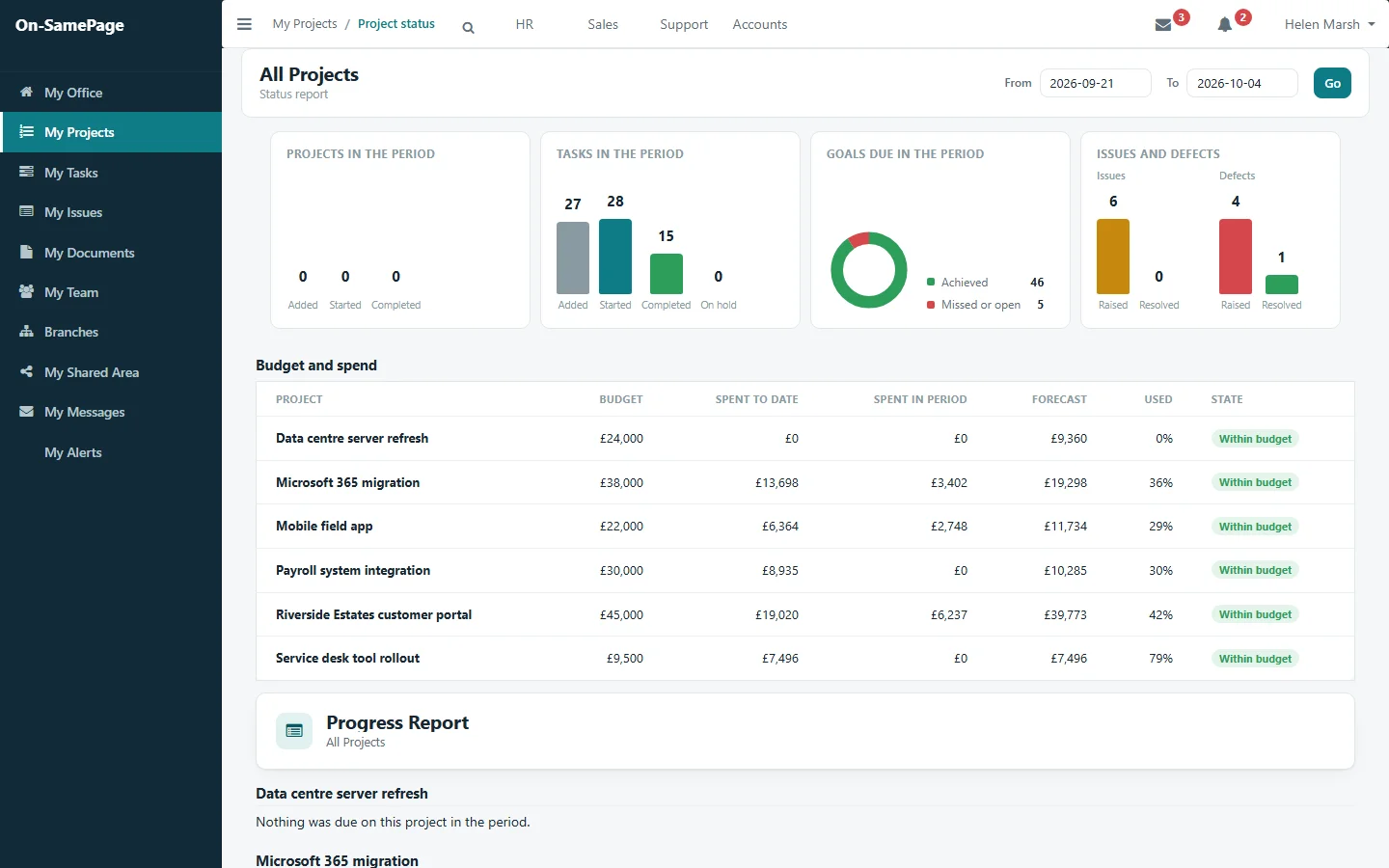
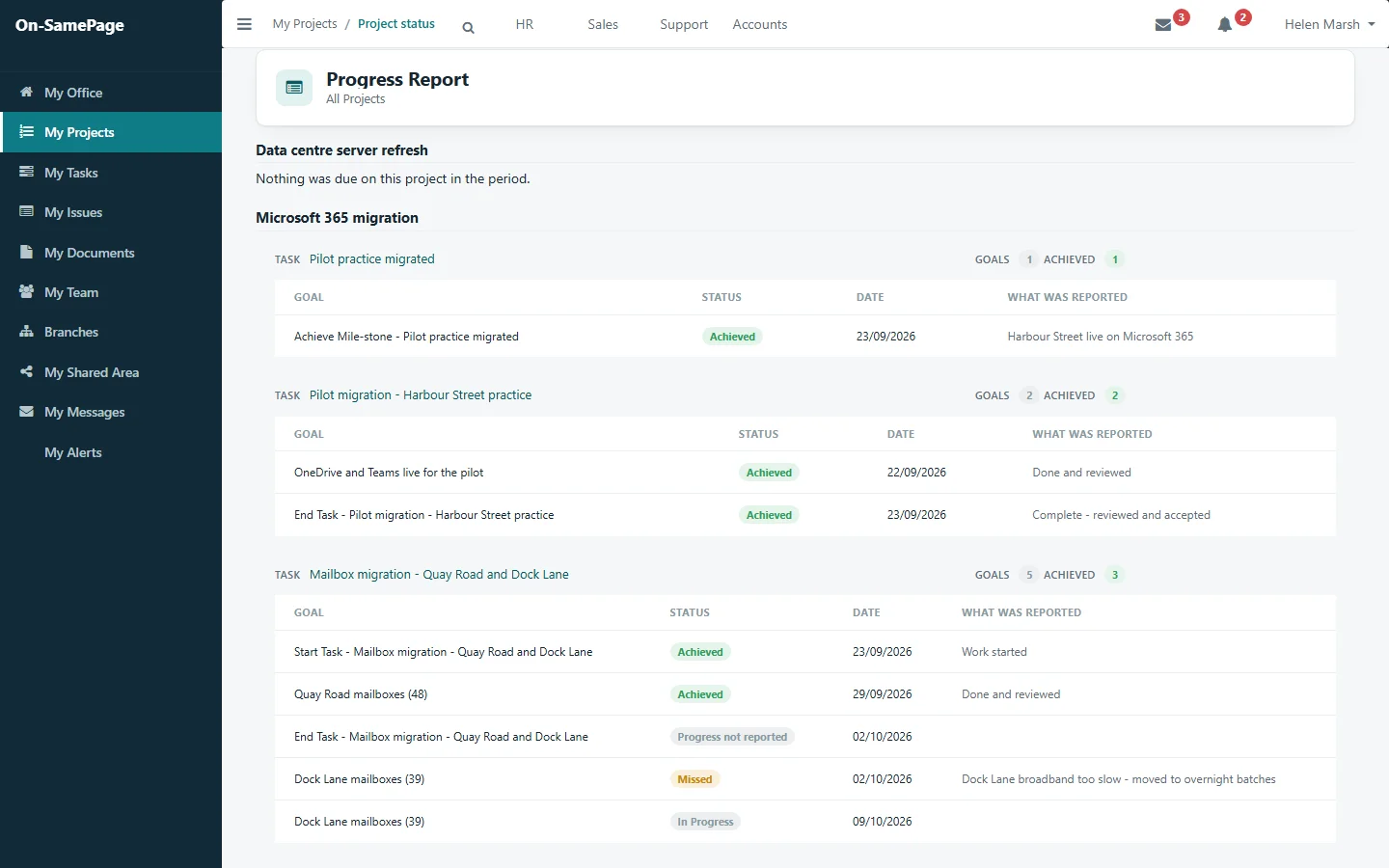
Status report for all projects: tasks, goals, issues and defects, with budget, spend and forecastProgress report for all projects: each goal due in the period, whether it was achieved, and what was reported
For project managers

A plan that stays current

Team members add the tasks that turn up once the project is under way, and the project manager adjusts the plan from there. The plan reflects what is happening now, not what was expected at the start.

See it in a demo
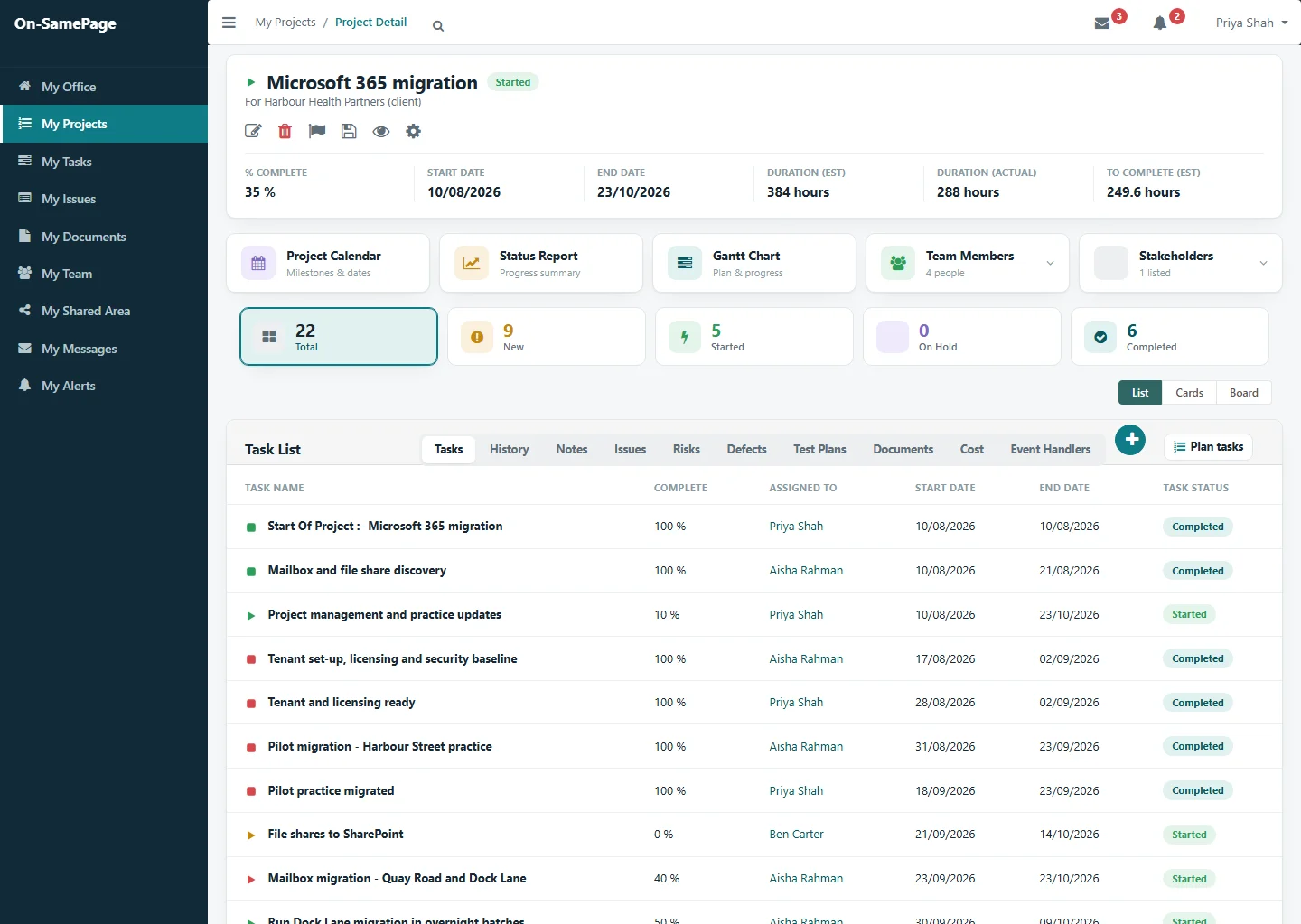
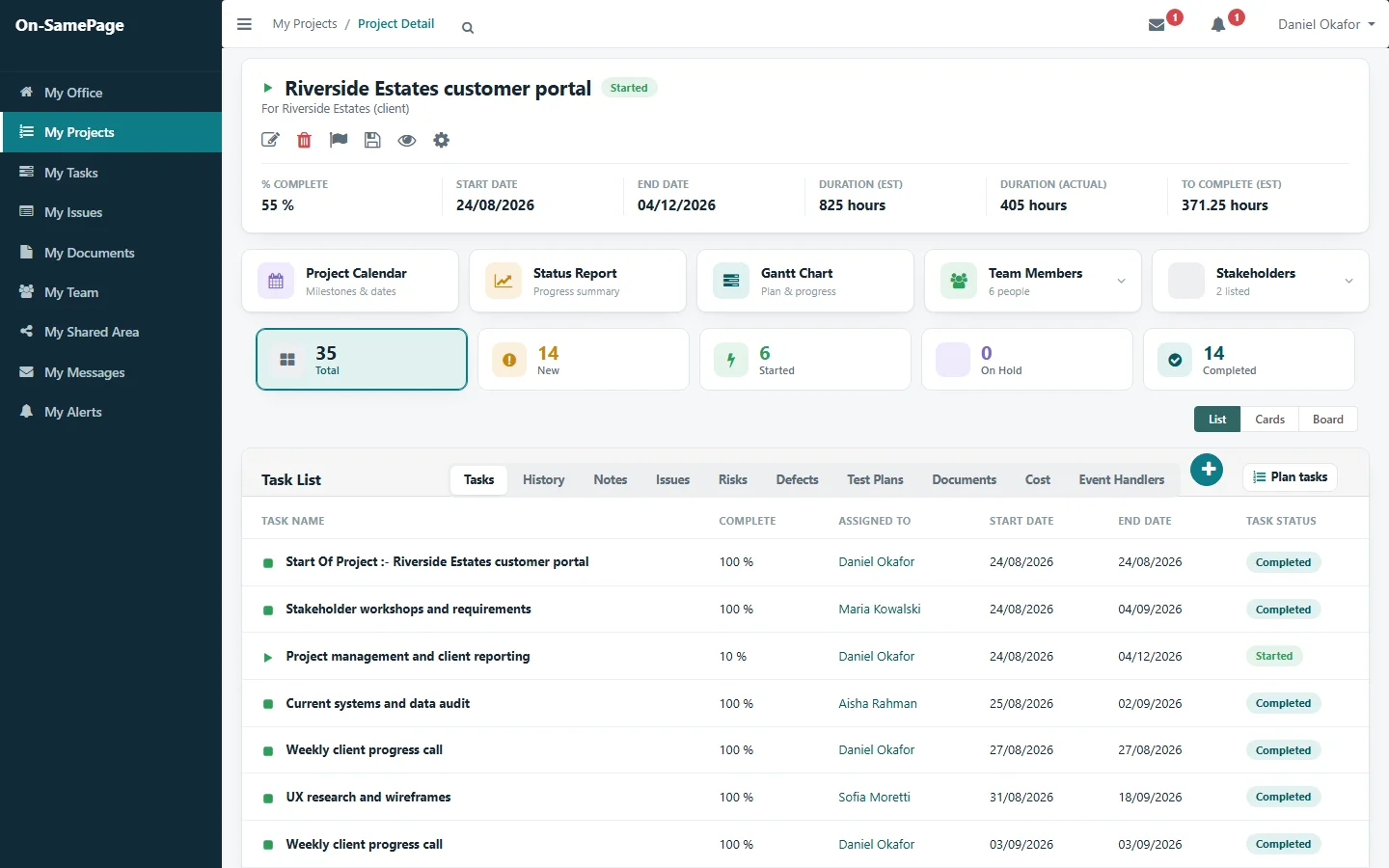
One project: progress, hours and every task with its status
Spotting problems early

See how each task will be done

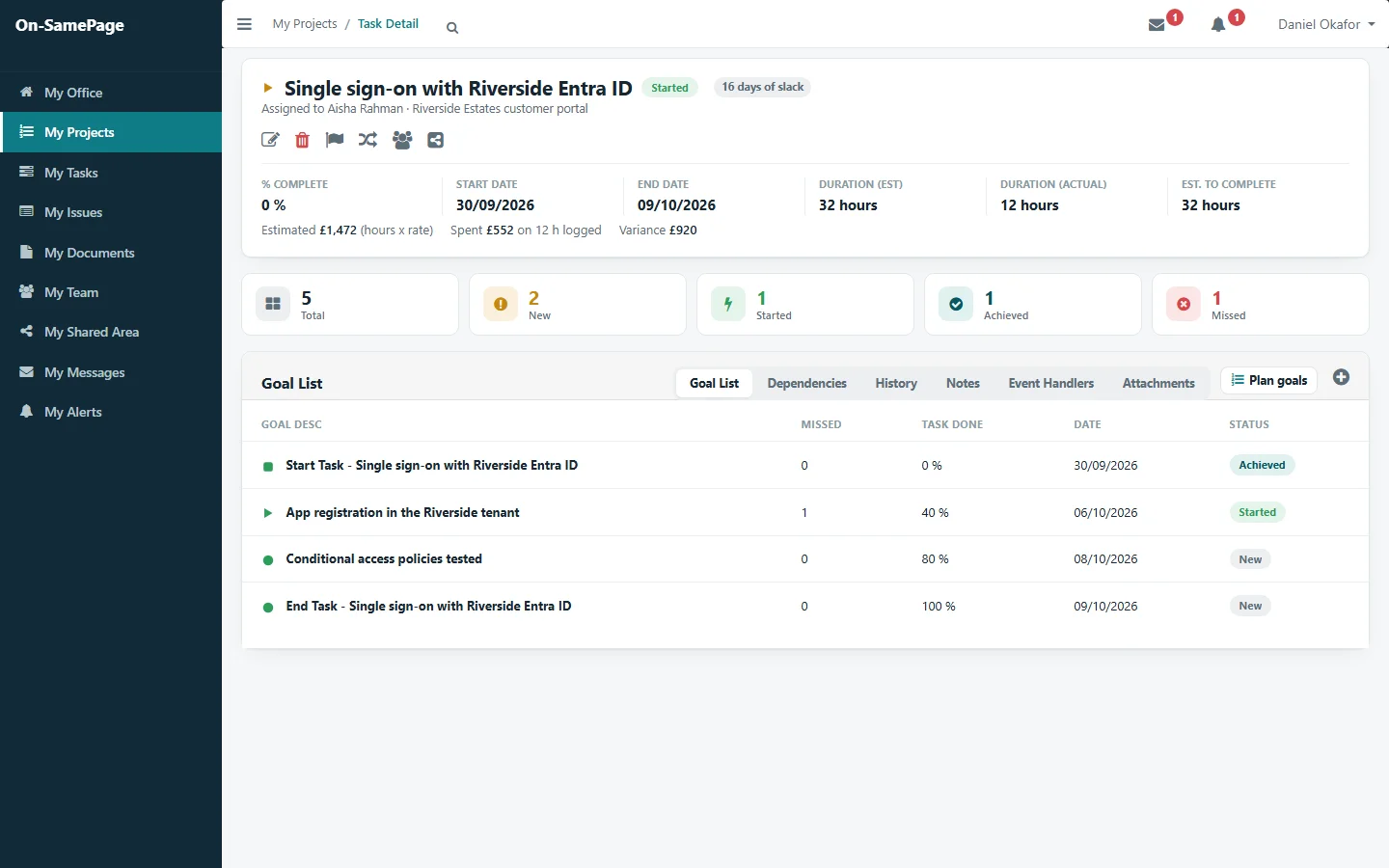
Each person sets out the goals they will reach to complete their task. You see how the work is going while it is in progress, not only when it is due.

See it in a demo
A task with the goals its owner set, one missed and re-planned
Dependencies and milestones

Know what is holding things up

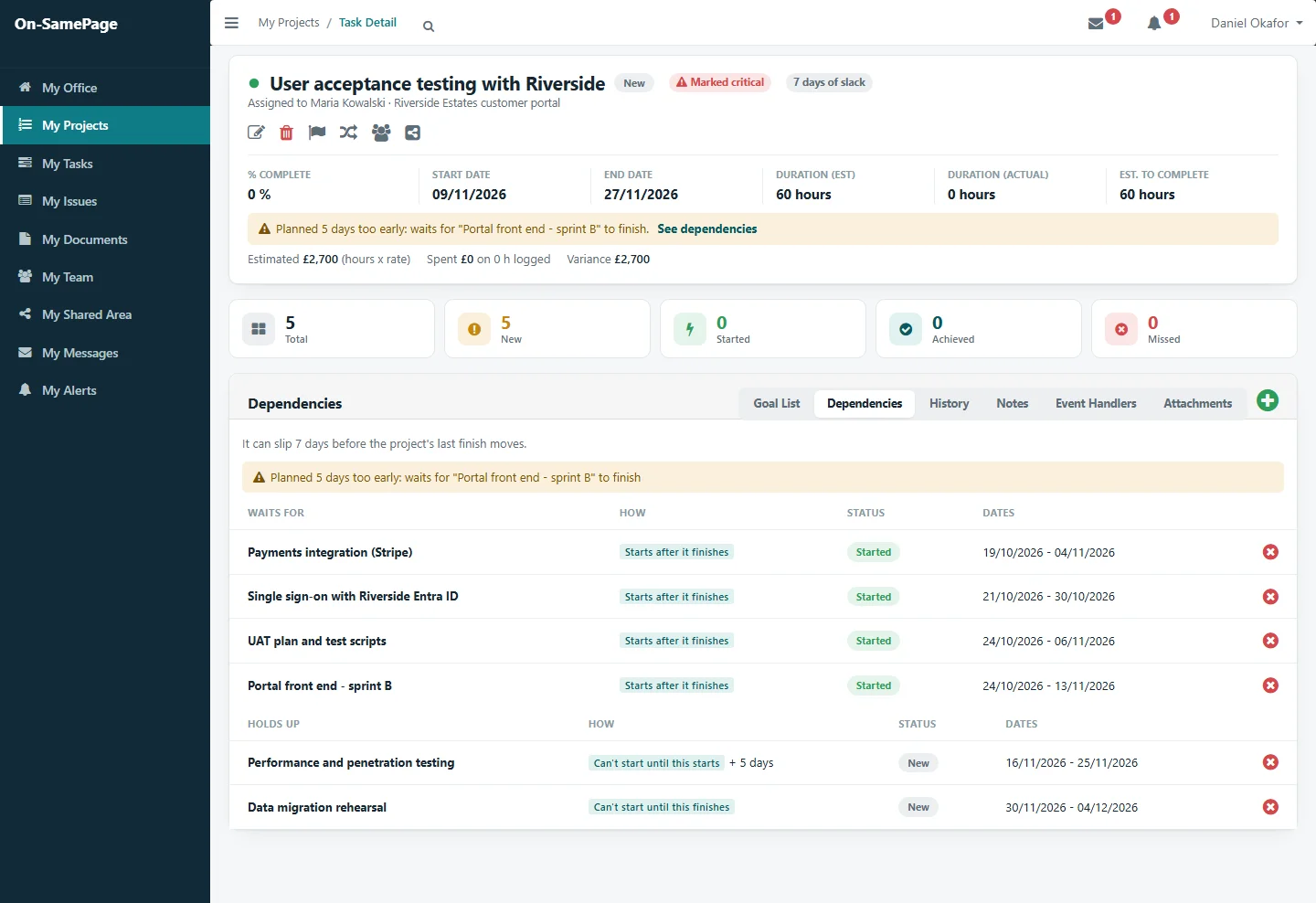
See what each task waits for and what it holds up, which tasks are critical and how much slack is left. When a task is planned to start before the work it depends on is finished, you see it straight away, while there is still time to re-plan.

See it in a demo
A critical task planned too early for the work it waits for, with what it waits for and what it holds up
Workload

See who is overloaded, before it causes delays

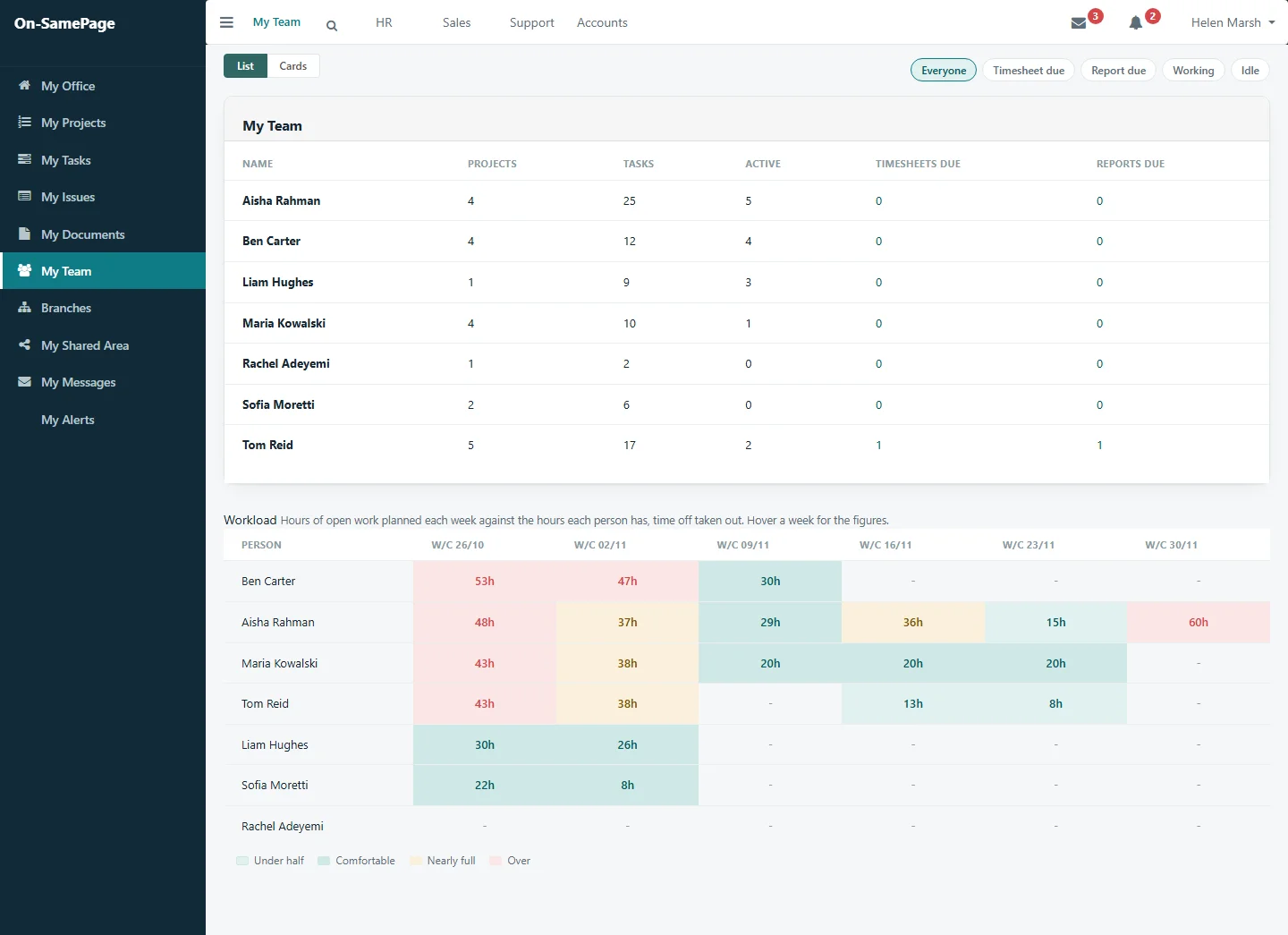
See the hours of work planned for each person over the coming weeks against the time they have, with time off taken out. Spread the work before anyone is overloaded and deadlines start to slip.

See it in a demo
The team's planned hours for the next six weeks against their capacity, with overloaded weeks picked out

Less admin for everyone

The routine work, taken care of

Alerts and reminders

Missed goals, overdue work, and timesheets and reports due are flagged without anyone checking.

Recurring work

Regular meetings and calls are set up once and appear when they're due.

Time and costs

Time logged updates costs and actual hours. Nothing is entered twice.

Re-planning on record

When a goal is missed, the reason and the new date stay with it.

One place for everything

Notes, issues, risks, documents and history sit on the project they belong to.

Client sign-off

Documents go to the client for sign-off and are tracked in the project.

For your clients

Clients see progress for themselves

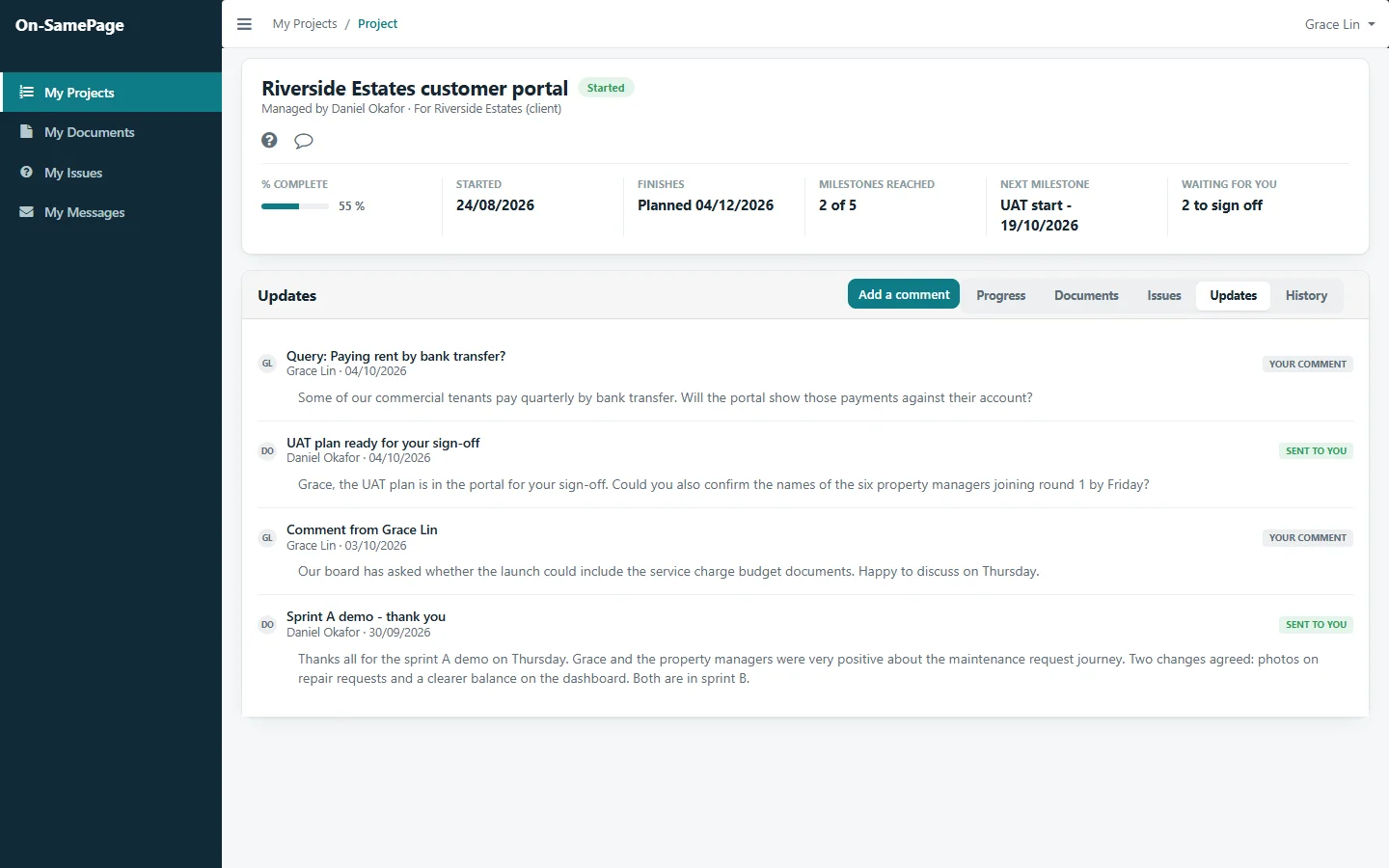
Clients follow progress, see what is coming next and respond to what needs their attention, without chasing your team for updates.

See it in a demo
The client's view of their project: progress, the next milestone, documents to sign off and the updates exchanged with the team

Common questions

Before you get in touch

Short answers here. We will go through each one with you in detail.

How does On-SamePage measure project progress?

By the work actually completed: the tasks, goals and milestones that have been delivered. Time passing does not count as progress, so a project that has used half its time but delivered a third of its work shows as behind.

Do team members have to write status reports?

No. They mark each goal that is due as achieved, missed or not started. Task, milestone and project progress, schedule status, costs and reports all update from that one entry, and status and progress reports are produced the moment they are opened.

Can we see who is overloaded before it causes delays?

Yes. The workload shows the hours of work planned for each person over the coming weeks against the time they have, with time off taken out, so work can be spread before anyone is overloaded.

Can clients see how their project is going?

Yes. Clients have their own view of their project, with its progress, what is coming next, the documents waiting for their sign-off and the updates exchanged with the team.

Is On-SamePage only for IT projects?

No. On-SamePage is a platform shaped around each organisation’s work. The implementation shown here is for IT departments and software companies.

See your projects the way they really are

Book a demo and we'll show you On-SamePage working with projects like yours.

Book a demo. A 30-minute walkthrough of On-SamePage running for an IT services company: the dashboards, the reports and the customer's view. Then we talk about what yours would look like.

We use your details only to arrange your demo and reply to your enquiry. We do not share them.