On-SamePage / Test management

Test management and QA

Testing that is part of the project

Plan your testing, record every run and turn failures into defects that are fixed like any other work. Test plans, test cases, runs and defects sit with the project they belong to, so project managers and the QA team see the same picture.

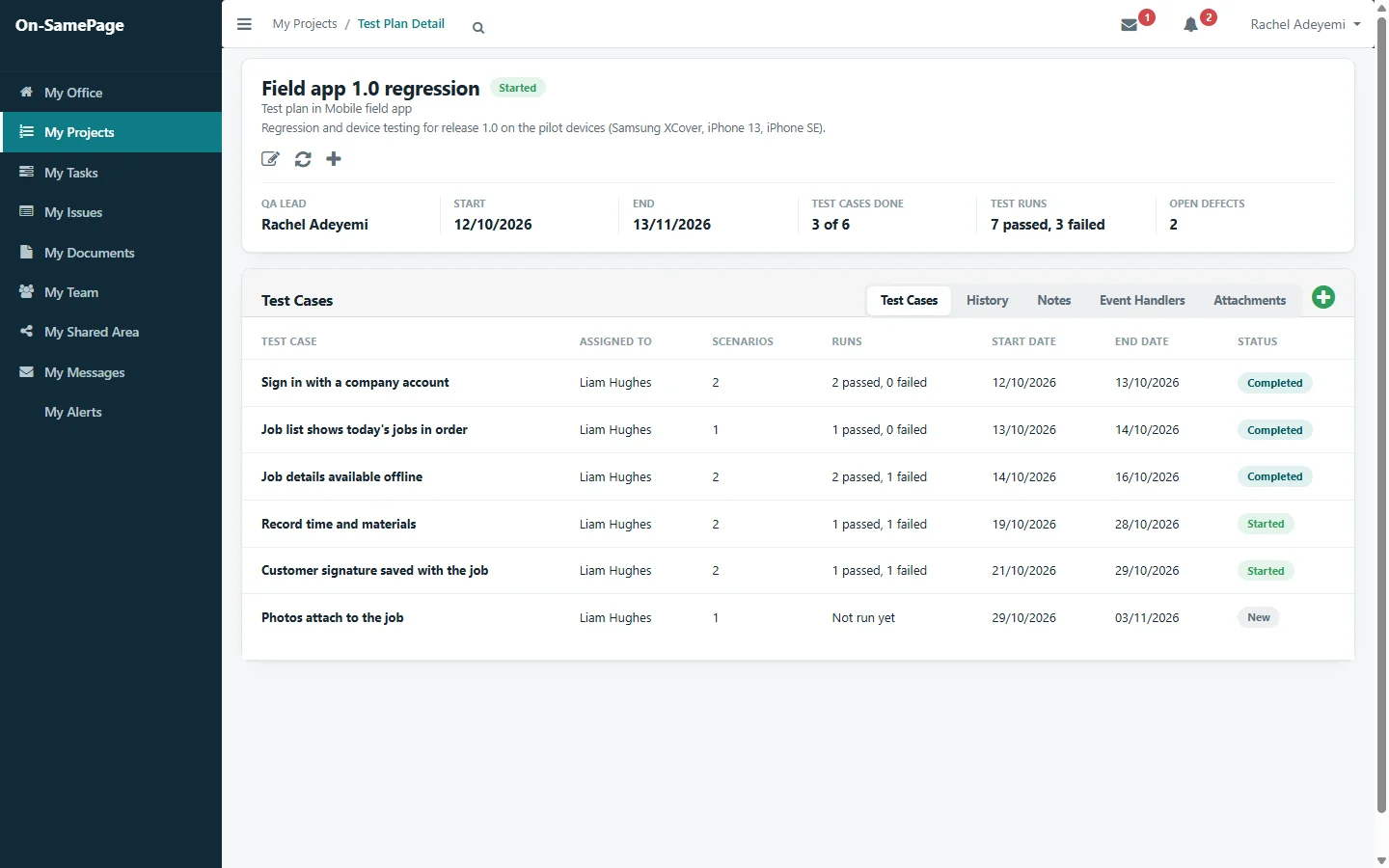
A test plan with its test cases, testers, tests, runs passed and failed, and open defects
Shown: one implementation of On-SamePage, for IT departments and software companies

Testing often happens off to one side

  • Test plans and results live in spreadsheets, away from the project.
  • Nobody outside the QA team can see how testing is going.
  • A failed test has to be passed on by hand before anyone fixes it.
  • The work to fix defects isn’t in anyone’s plan.
Test cases

Every test, with what to enter and what should happen

Each test case lists its tests, with the input to use, the result expected and the result of the latest run. The plan shows how many cases are done, how many runs have passed and failed, and how many defects are still open.

See it in a demo
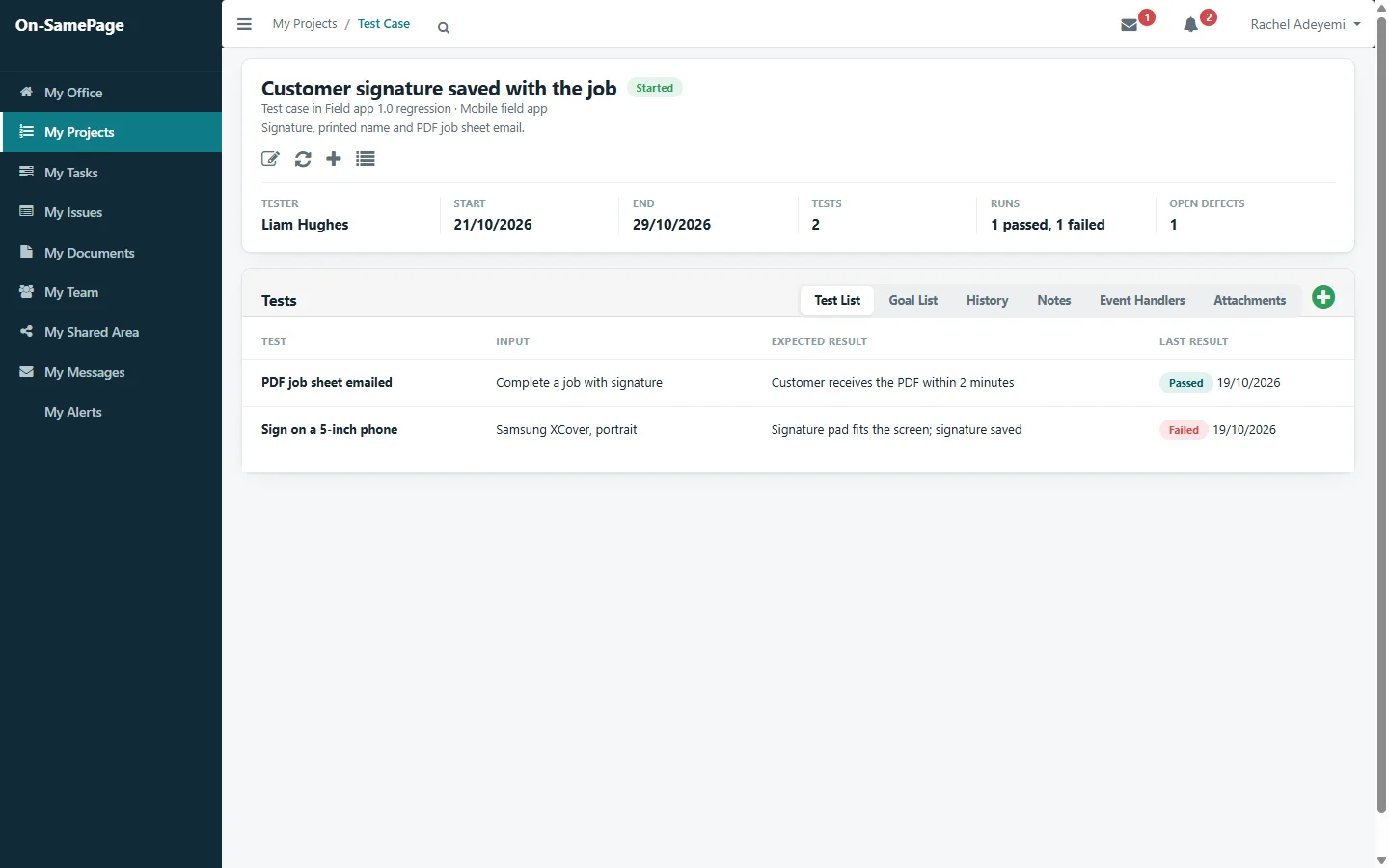
A test case with its tests, each with its input, expected result and latest result
Test runs

Every run recorded

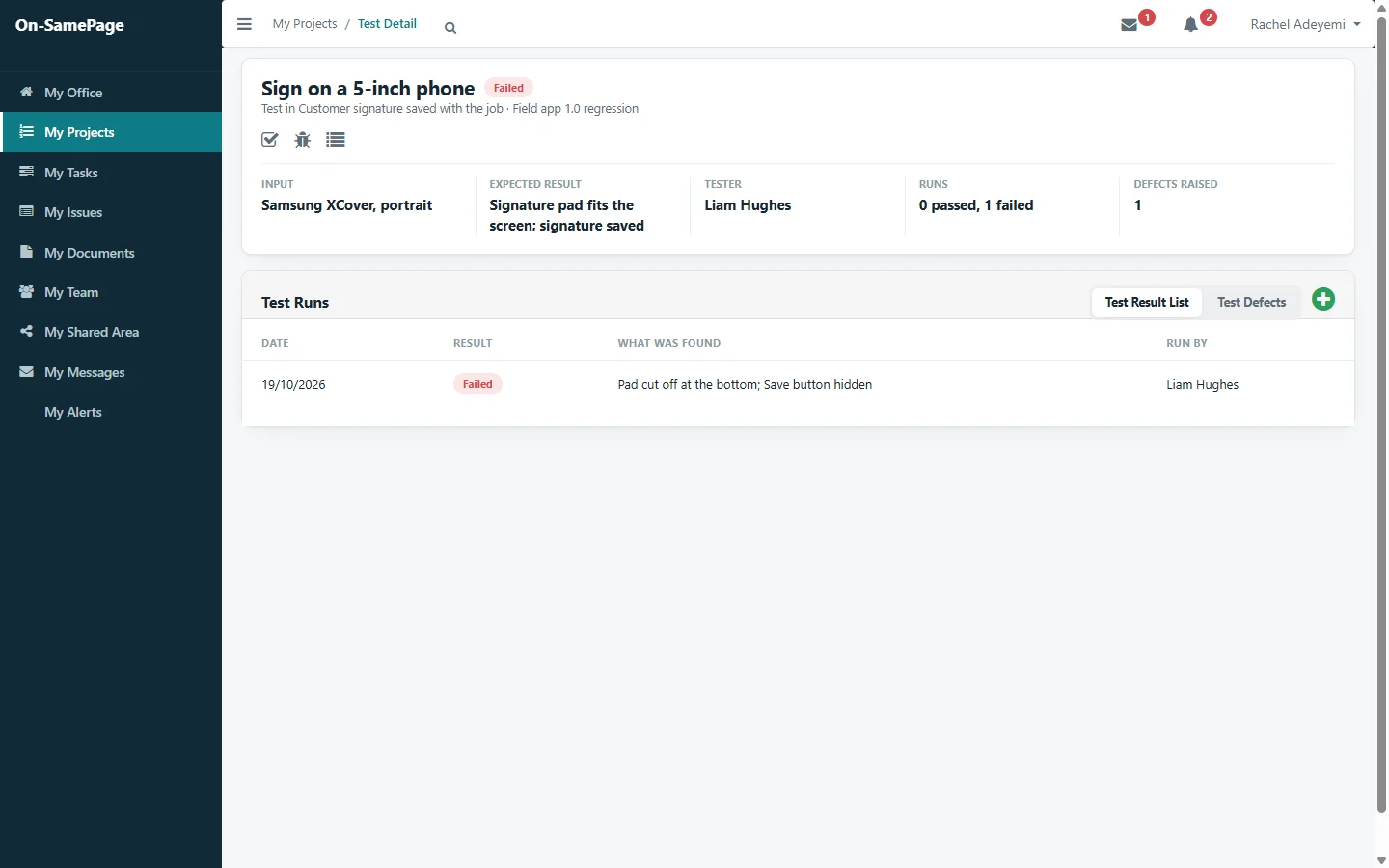
Each time a test is run, the tester records whether it passed or failed and what they found. The history stays with the test, so a retest after a fix sits next to the failure it fixed.

See it in a demo
A test that failed on a 5-inch phone, with what the tester found
Defects

From a failed test to a fix

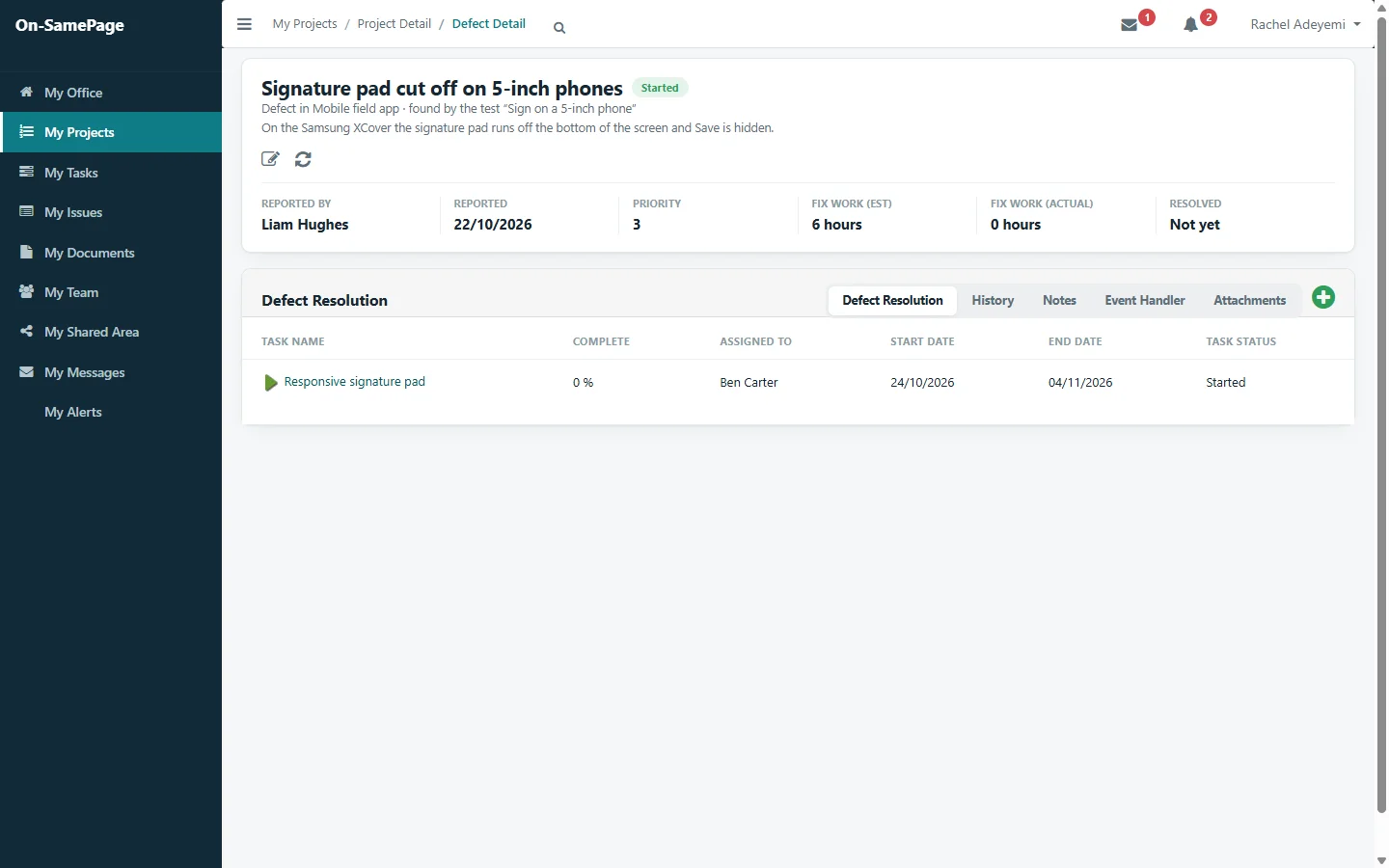
A failing test raises a defect that records the test that found it. The work to fix it has an owner, dates and progress, like any other task, and the defect shows when it is resolved.

See it in a demo
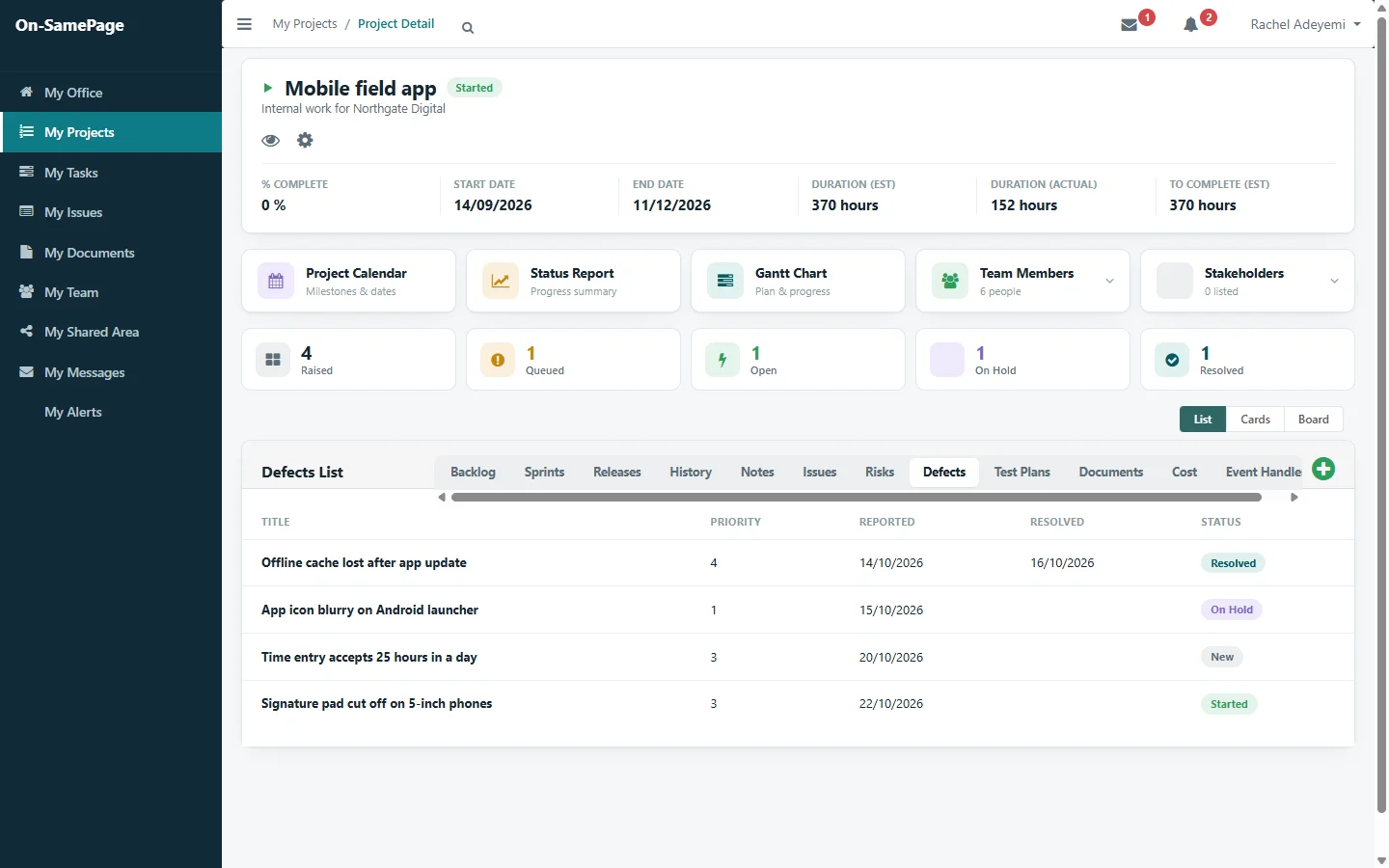
A defect found by a test, with the work to fix it assigned to a developerEvery defect on the project with its priority, dates and status
For testers

Testing is part of the tester’s work

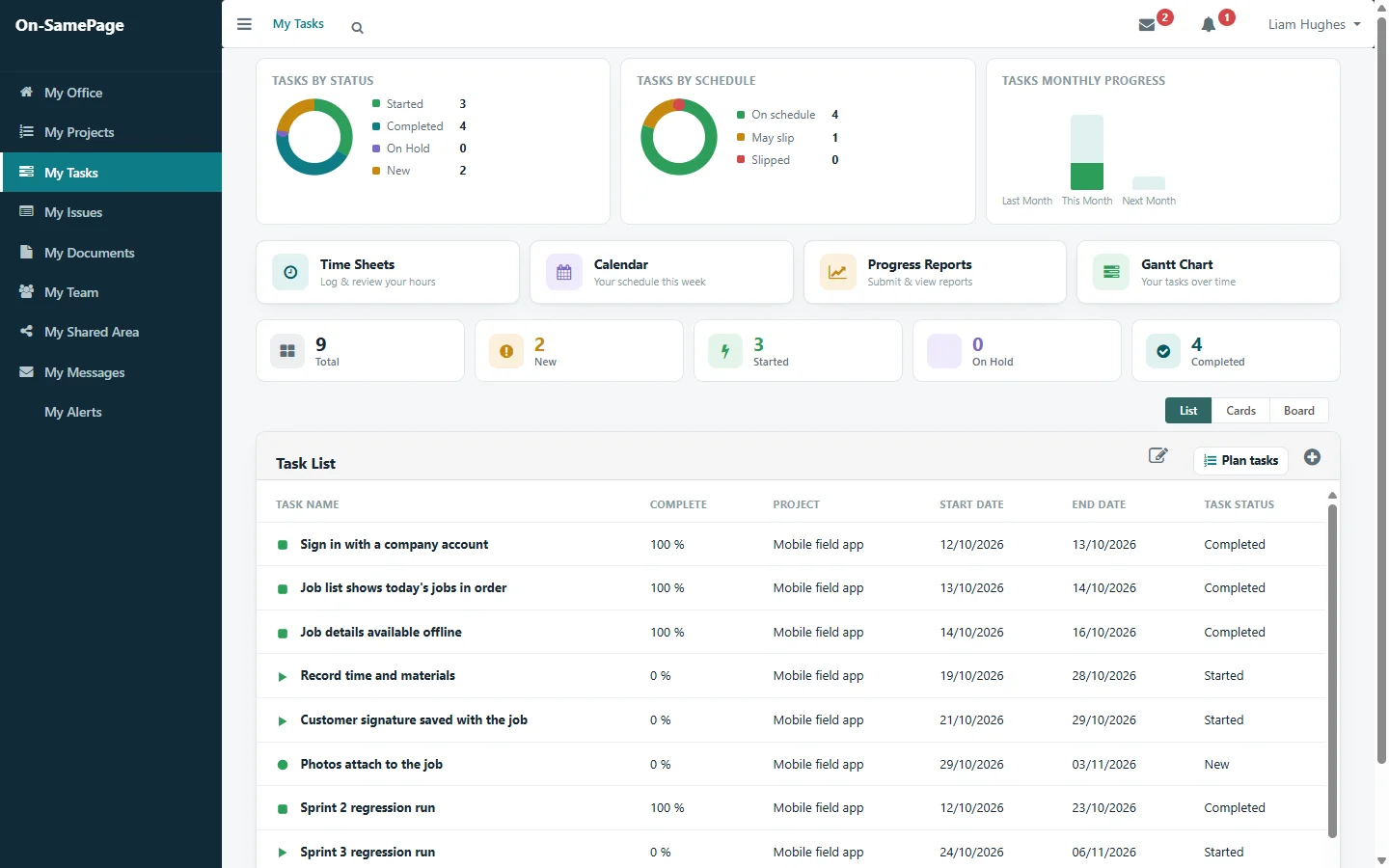
Testers see their test cases in their own task list, alongside any other work, and report progress on them the same way as everyone else.

See it in a demo
A tester’s task list with their test cases and regression runs

Part of the project

Testing alongside everything else

Test plans, test cases and defects sit on the project next to its sprints, stories, issues and risks, and defects appear in the project status report.

Agile and scrum

Common questions

Before you get in touch

Short answers here. We will go through each one with you in detail.

Can we keep test plans and test cases in On-SamePage?

Yes. Each project can have test plans. Each plan has test cases assigned to testers, and each case lists its tests with the input to use and the result expected.

How are test results recorded?

Each run is recorded as passed or failed, with what the tester found. Every run is kept, so the history of a test shows its failures and the retests that followed.

What happens when a test fails?

The tester raises a defect from the failing test. The defect records the test that found it, and the work to fix it is planned and tracked like any other task.

Can project managers see how testing is going?

Yes. Each test plan shows how many cases are done, how many runs have passed and failed and how many defects are open, and defects appear in the project status report.

See your testing as part of the project

Book a demo and we'll show you On-SamePage working with projects like yours.

Book a demo. A 30-minute walkthrough of On-SamePage running for an IT services company: the dashboards, the reports and the customer's view. Then we talk about what yours would look like.

We use your details only to arrange your demo and reply to your enquiry. We do not share them.