On-SamePage / Gantt charts

Gantt charts

Gantt charts that keep themselves up to date

In On-SamePage the Gantt chart is drawn from the work itself. As people report progress, add tasks and re-plan, the chart changes with them, so nobody has to redraw it before a meeting.

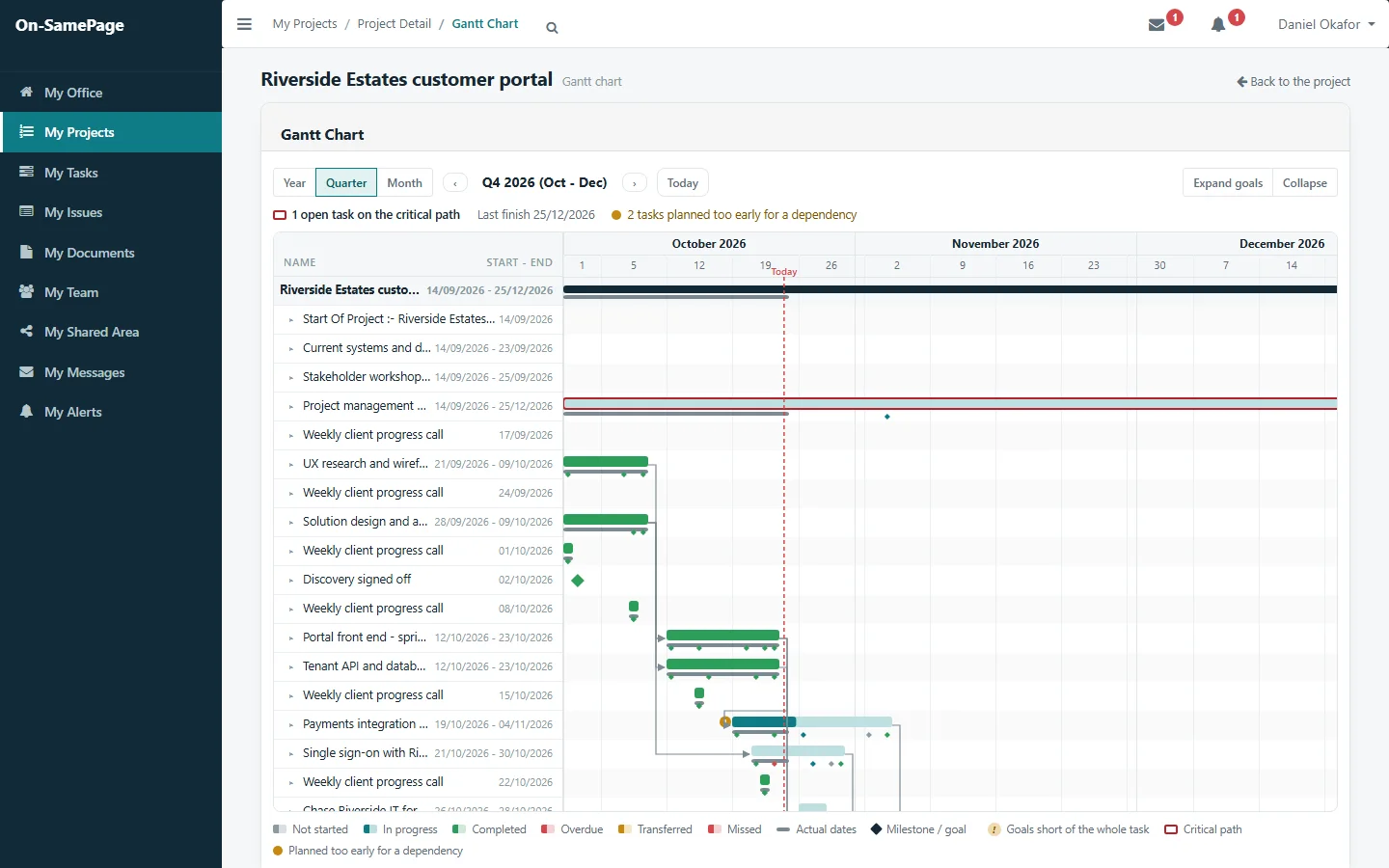
A project Gantt chart with planned and actual dates, dependencies, milestones and the critical path
Shown: one implementation of On-SamePage, for IT departments and software companies

A Gantt chart is only useful if it is current

  • A Gantt chart is out of date the day after it is drawn.
  • Someone spends hours updating it before every review.
  • The bars show what was planned, not what has happened.
  • Dependencies and the critical path are lost when the plan changes.
Plan and actual

What was planned, and what is happening

Every bar shows the planned dates with the actual dates beneath, coloured by where the work stands: not started, in progress, completed, overdue or missed. Today is marked, so slippage is plain to see.

See it in a demo
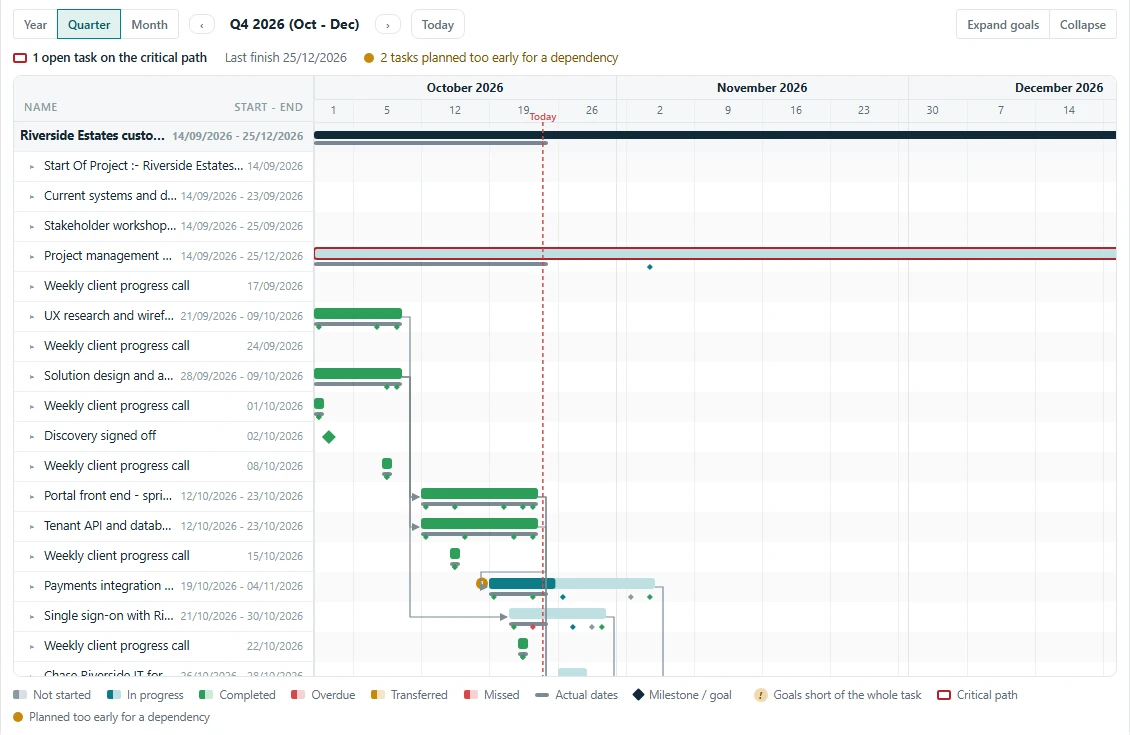
Close-up of a project Gantt chart: planned and actual dates on each bar, dependencies, milestones, today and the critical path
Dependencies

Knock-on delays, before they happen

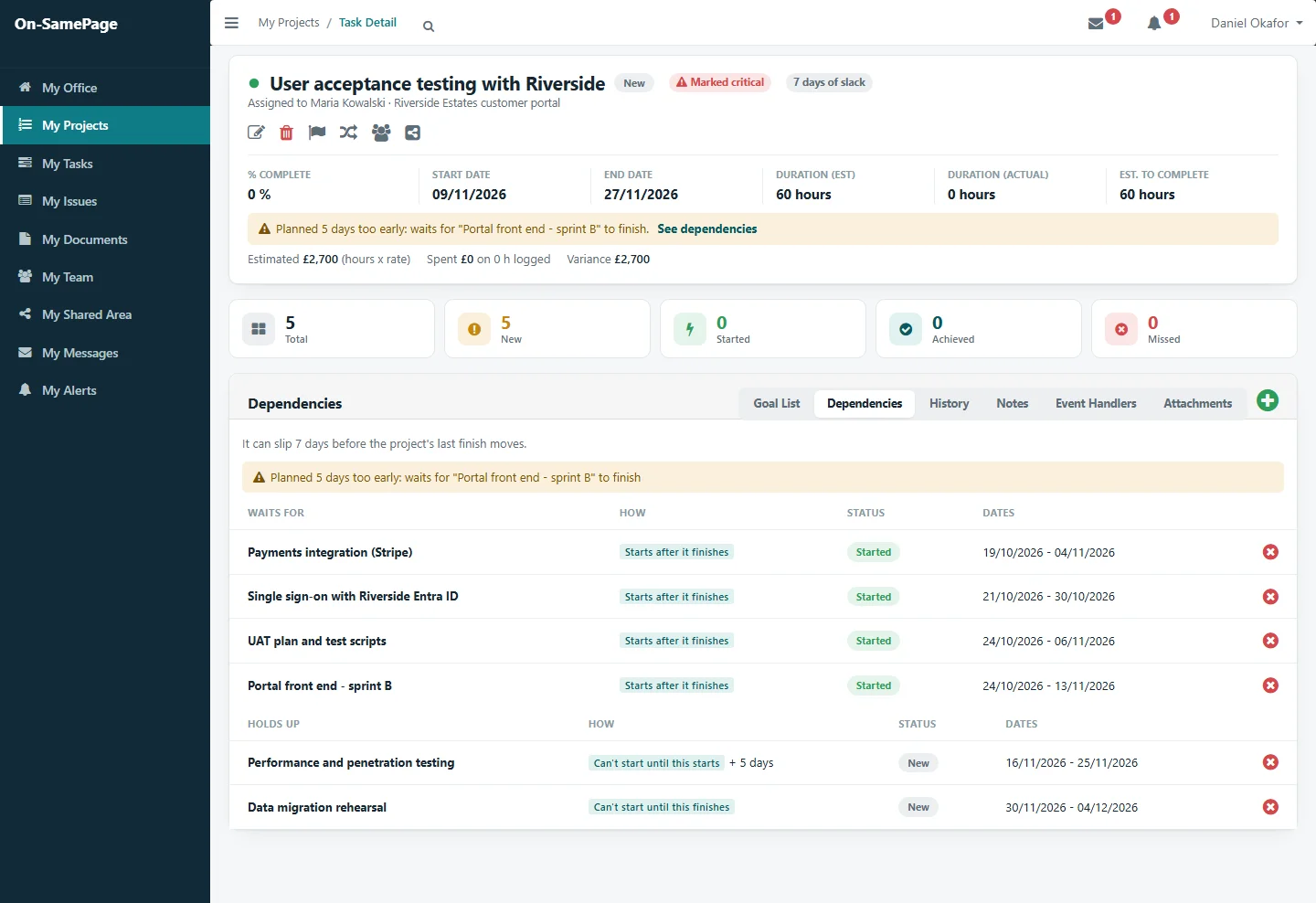
The chart shows what each task waits for and marks the critical path. A task planned to start before the work it depends on is finished is flagged, on the chart and on the task itself, while there is still time to re-plan.

See it in a demo
A critical task planned too early for the work it waits for, with what it waits for and what it holds up
Across the organisation

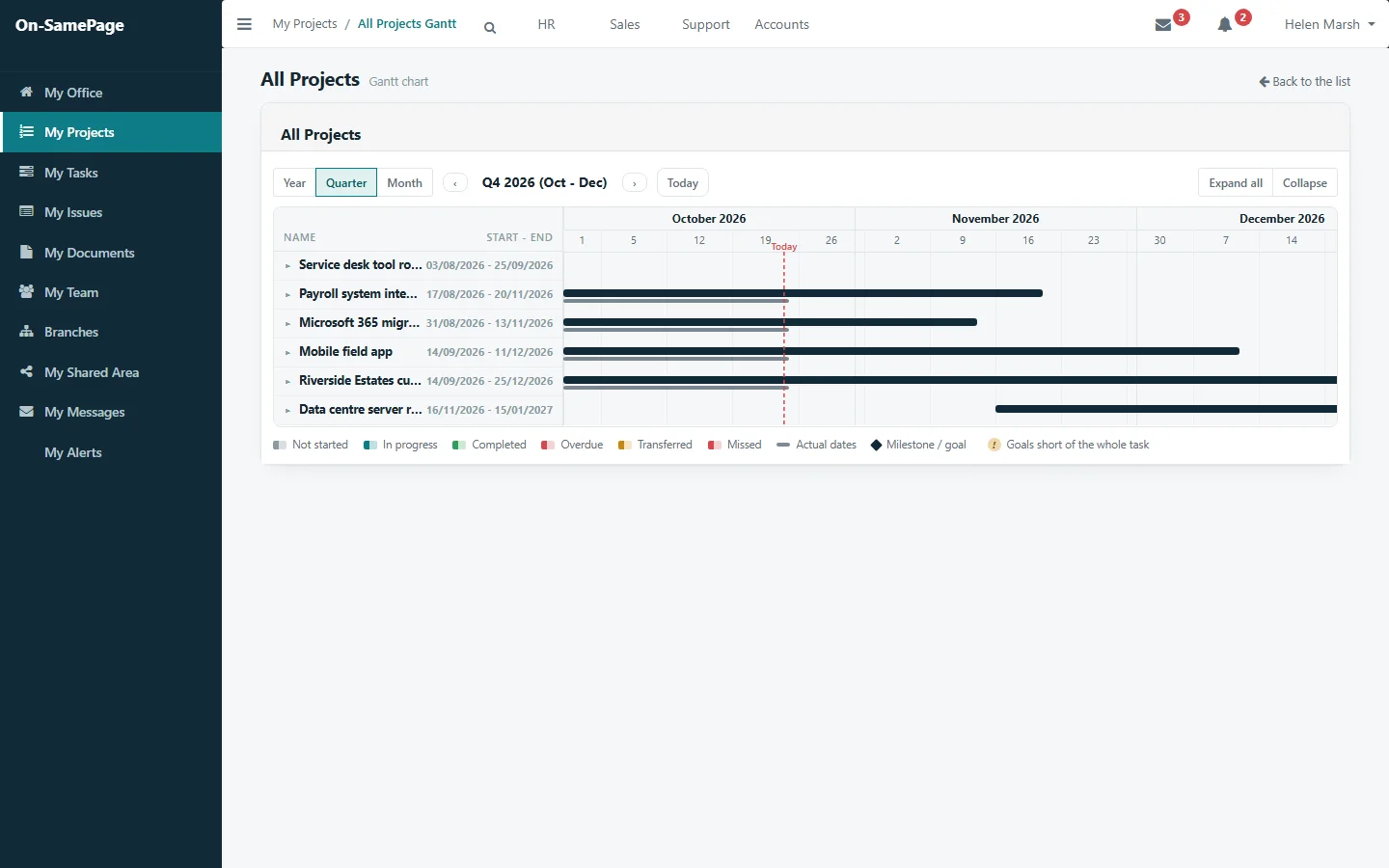
Every project on one timeline

Senior managers see every project on one chart, by year, quarter or month, and open any project to see its tasks.

See it in a demo
Every project on one Gantt chart for the quarter, with today marked
For everyone

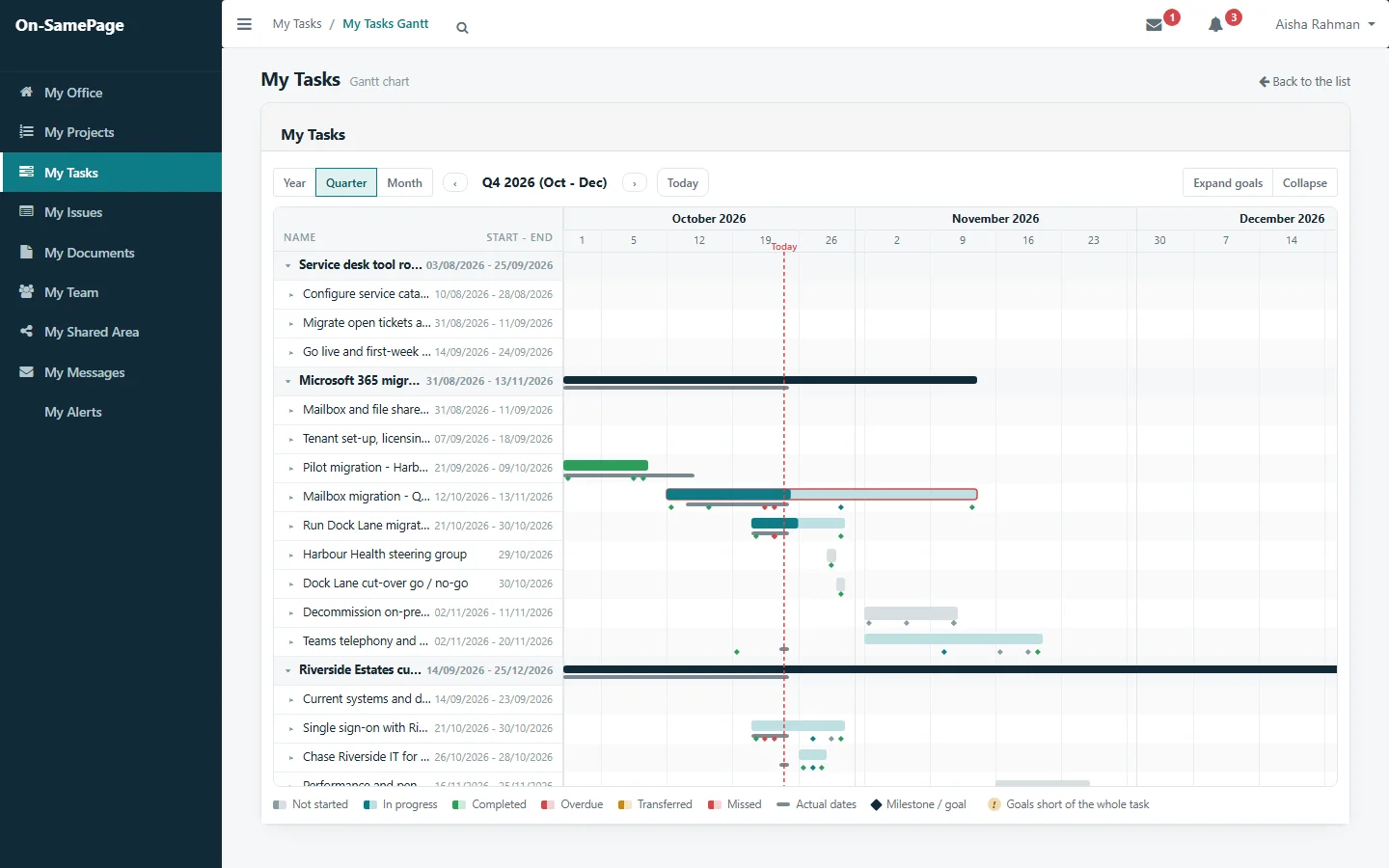
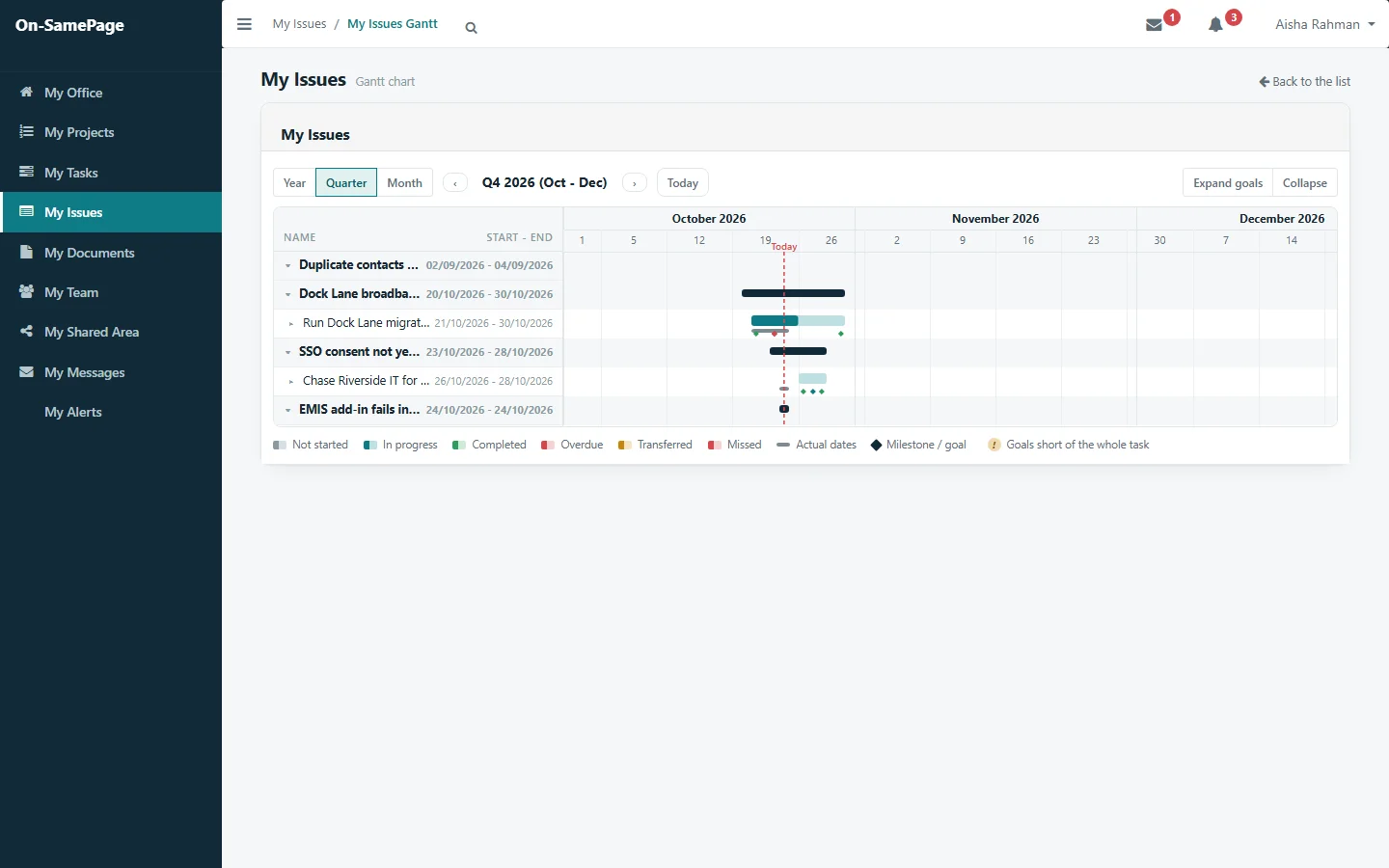
Your own work, on a timeline

Each person sees their own tasks across all their projects on one chart, so they know what is coming and what is late.

See it in a demo
One person’s tasks from all their projects on one Gantt chartThe issues one person is resolving, on a Gantt chart

What the chart shows

Everything you need, without preparing it

Planned and actual dates

On every bar, so the difference is visible at a glance.

Progress by colour

Not started, in progress, completed, overdue and missed.

Milestones and goals

Shown as markers, with goals that fall short of the whole task picked out.

The critical path

Outlined, so you know which tasks cannot slip.

Dependencies

Tasks planned too early for the work they wait for are flagged.

Year, quarter and month

Zoom out for the whole picture, or in for the detail.

Common questions

Before you get in touch

Short answers here. We will go through each one with you in detail.

Does the Gantt chart update itself?

Yes. It is drawn from the work as it happens, so as people report progress, add tasks and re-plan, the chart changes with them. Nobody has to redraw it before a meeting.

Does it show the critical path and dependencies?

Yes. The chart shows what each task waits for and outlines the critical path, and it flags any task planned to start before the work it depends on is finished.

Does it show actual dates as well as planned dates?

Yes. Every bar shows the planned dates with the actual dates beneath, coloured by status: not started, in progress, completed, overdue or missed.

Can I see all my projects on one Gantt chart?

Yes. Managers see every project on one timeline by year, quarter or month, and each person sees their own tasks across all their projects on one chart.

See a Gantt chart that is never out of date

Book a demo and we'll show you On-SamePage working with projects like yours.

Book a demo. A 30-minute walkthrough of On-SamePage running for an IT services company: the dashboards, the reports and the customer's view. Then we talk about what yours would look like.

We use your details only to arrange your demo and reply to your enquiry. We do not share them.